Restaurant POS & Billing Software

Run your whole restaurant from one simple POS

Billing, kitchen orders, QR table ordering, menu, staff, branches and sales reports. On Windows PCs, Android phones and the web, all kept in sync.

  • Arabic, English and Bengali
  • Works offline, syncs when online
  • Thermal receipts with Arabic and your logo
  • Light or night mode in 7 colours
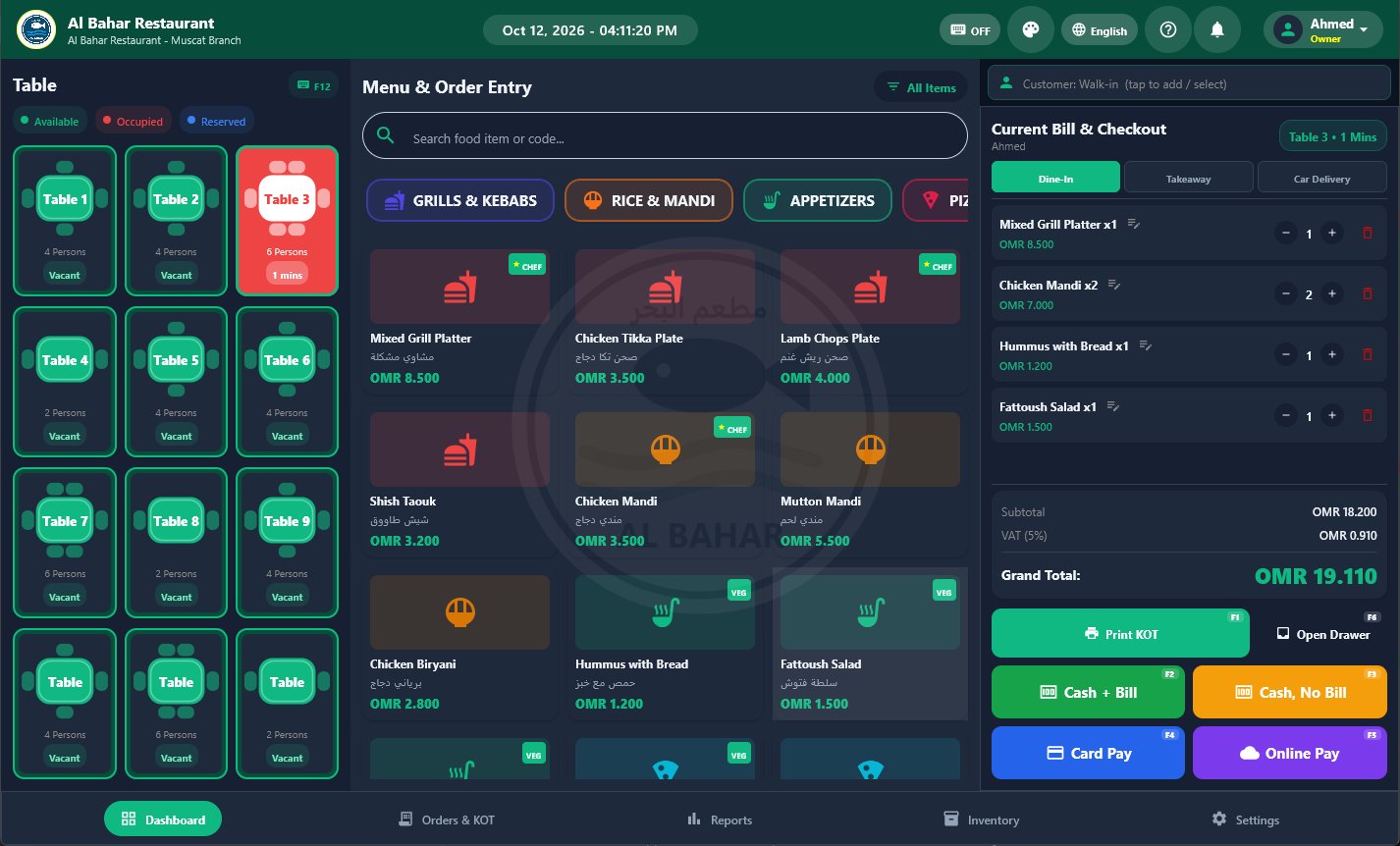
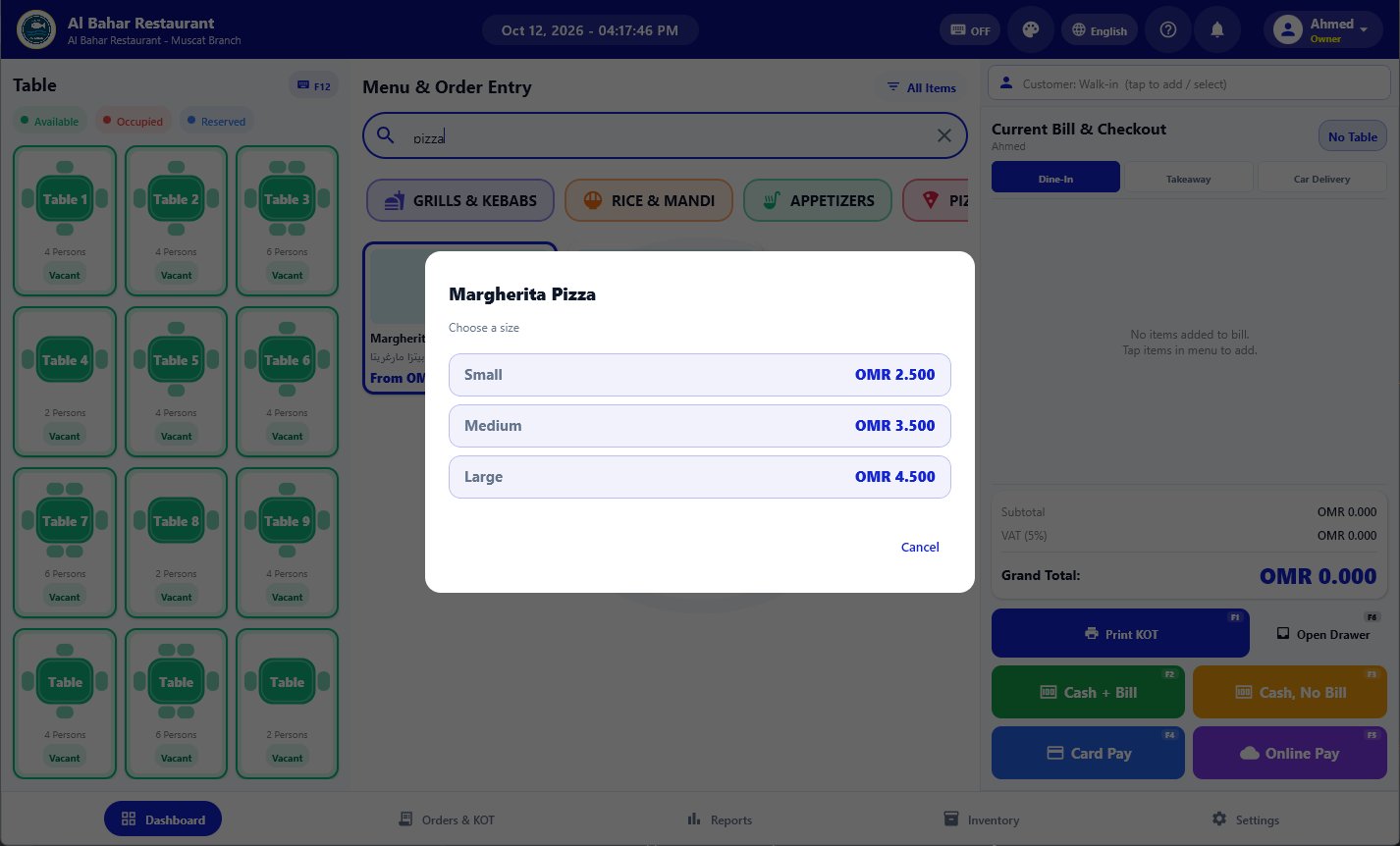
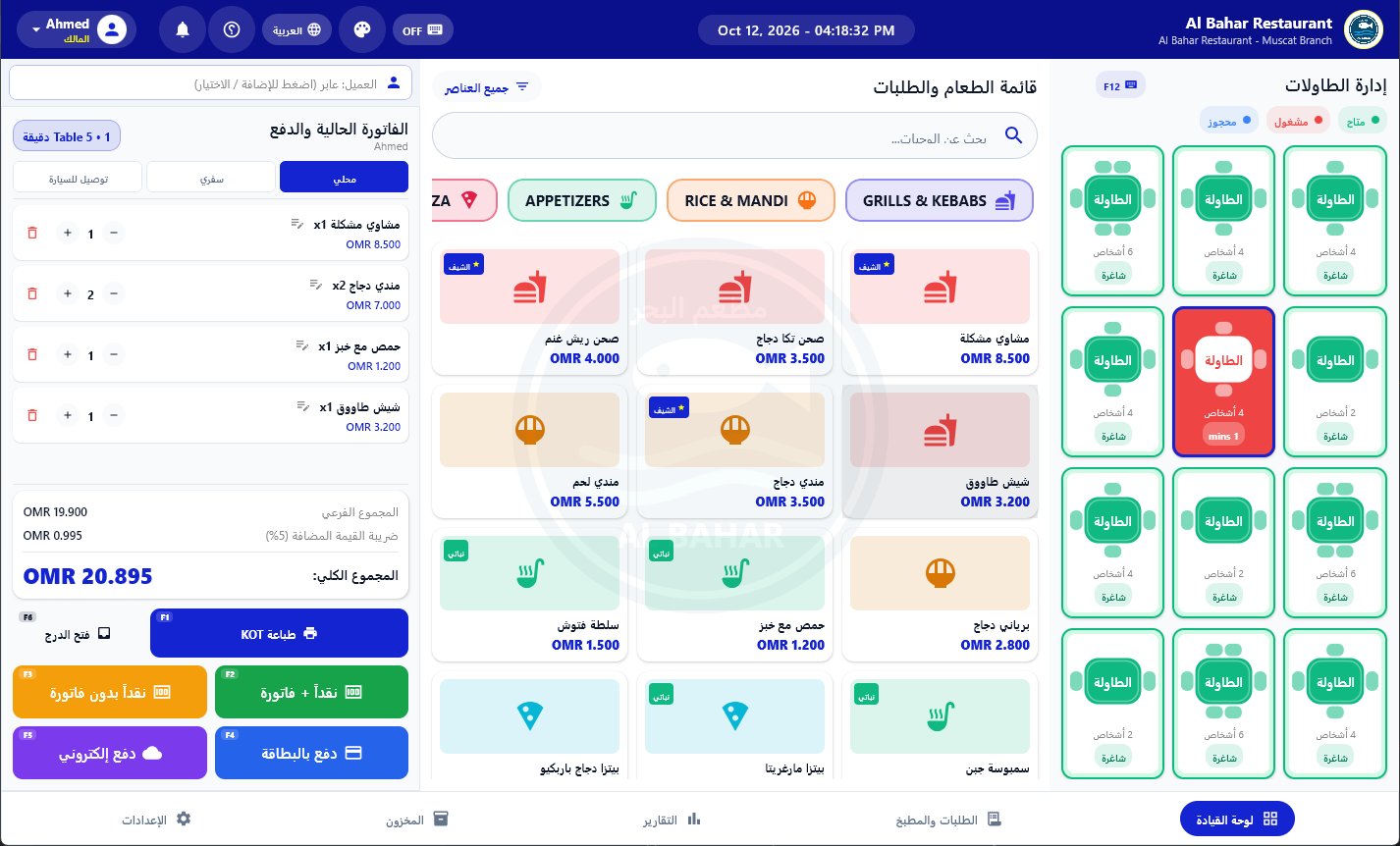
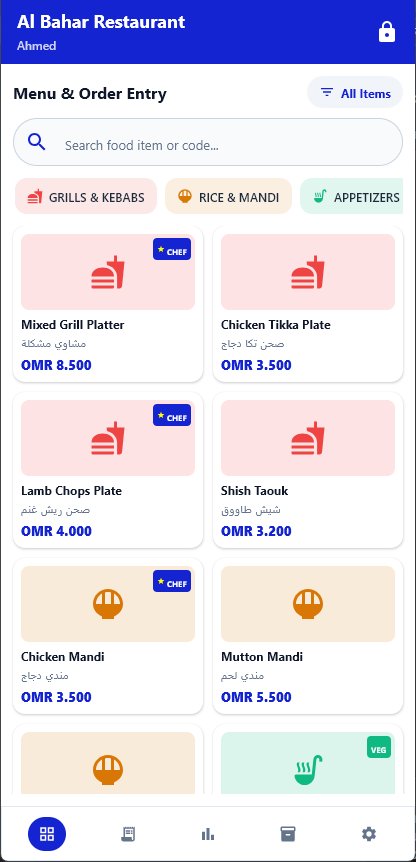
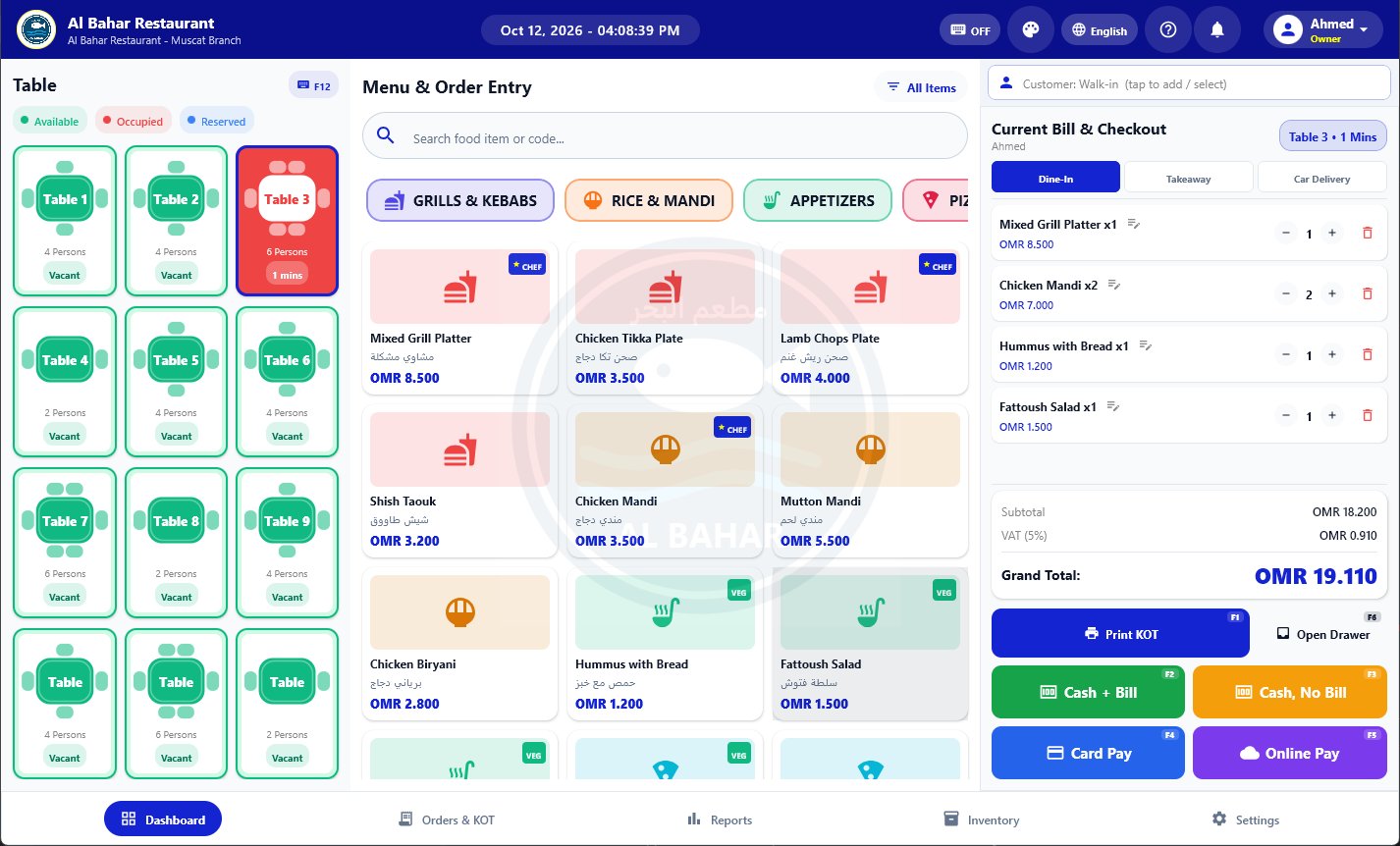
RPOS billing screen with tables, menu and current bill
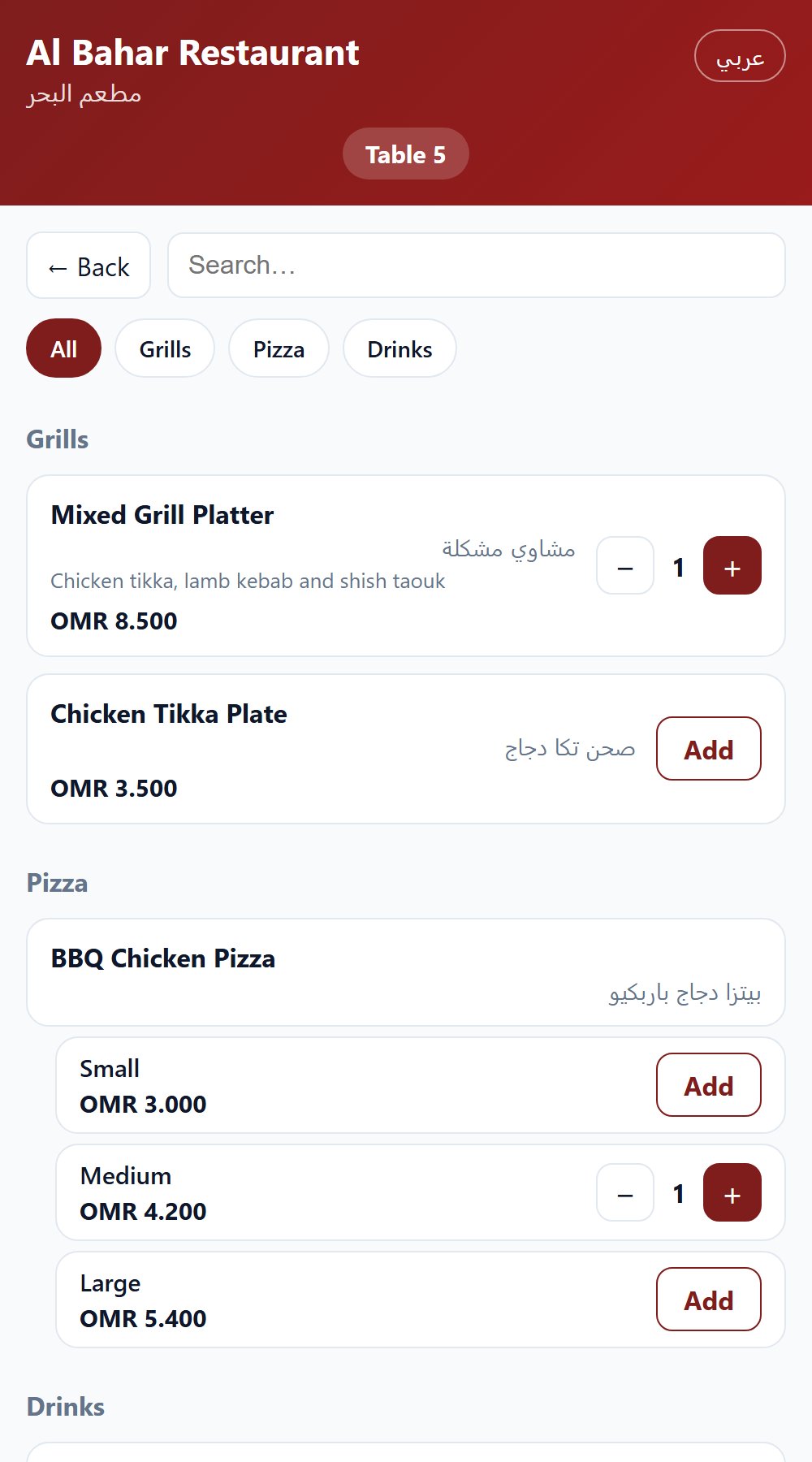
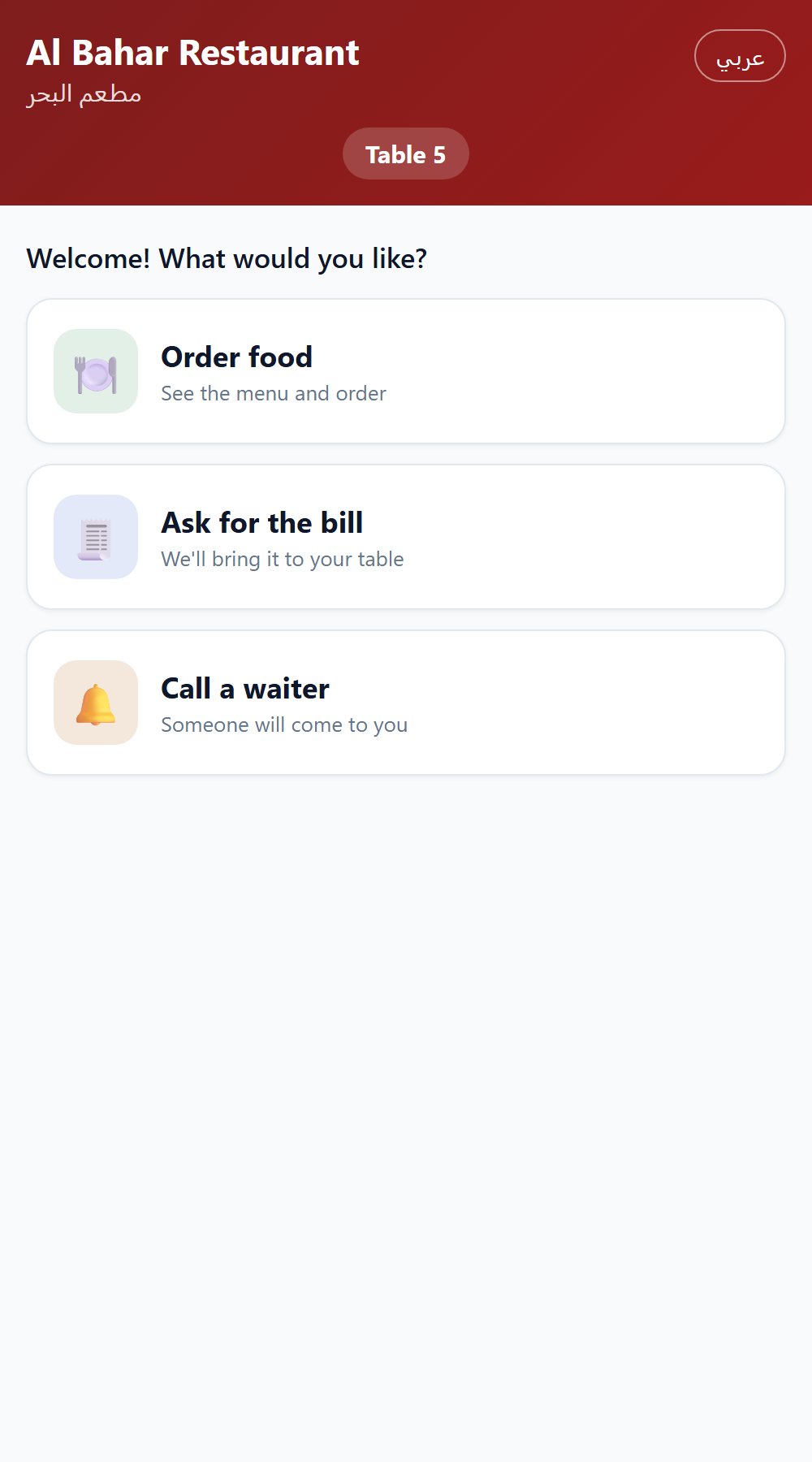
Customer QR ordering page on a phone
WindowsDesktop POS for counters and touch screens
AndroidPhones and tablets for waiters and owners
Web adminManage menu, orders and staff from any browser
QR orderingGuests order from their table, no app needed

What's new

New in RPOS this month

Big additions, already in the app. Update to the latest version to get them.

New

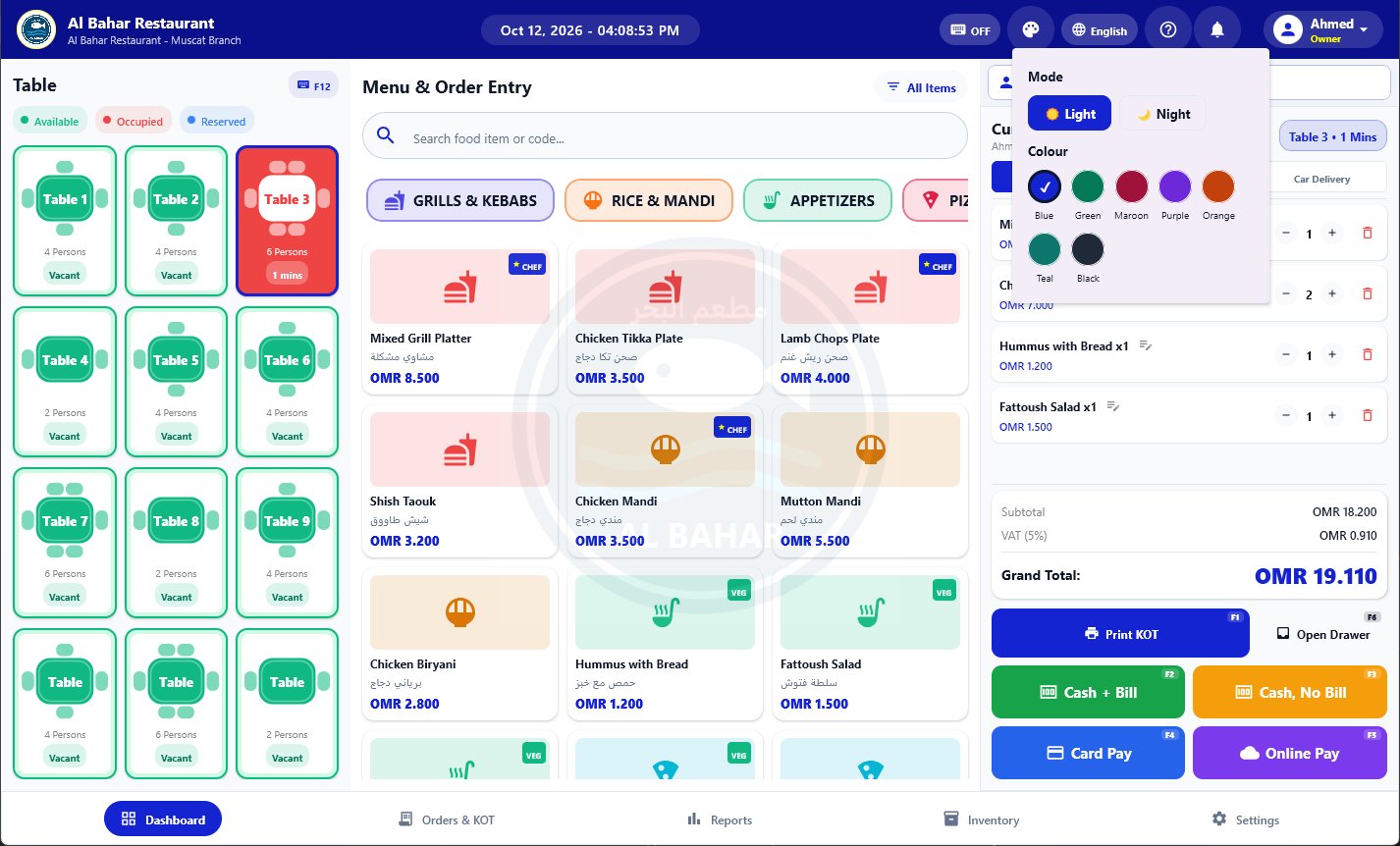
Light or night mode, in your colour

Tap the palette button at the top of the POS and pick the look your staff like best. It changes at once and is remembered on that device.

  • Light mode for bright counters, night mode for evening shifts
  • 7 colours: blue, green, maroon, purple, orange, teal and black
  • Works the same on Windows and Android
RPOS billing screen in night mode with a green theme Colour and light or night mode picker
New

Return or cancel a paid bill

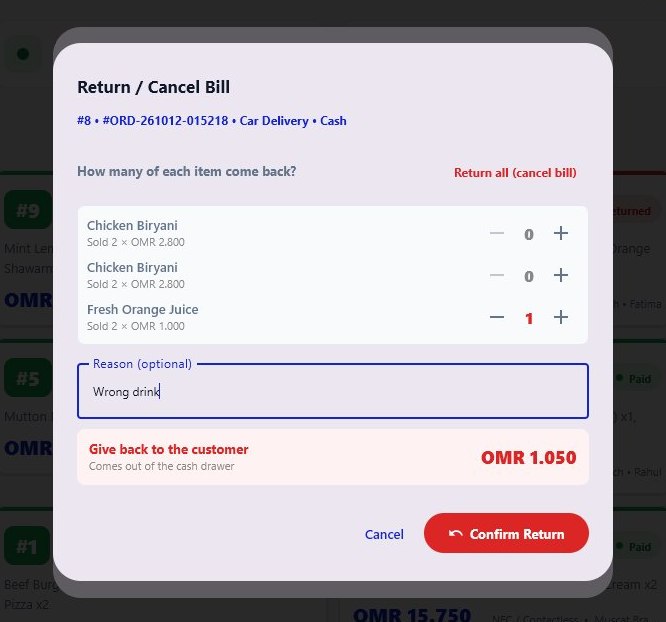
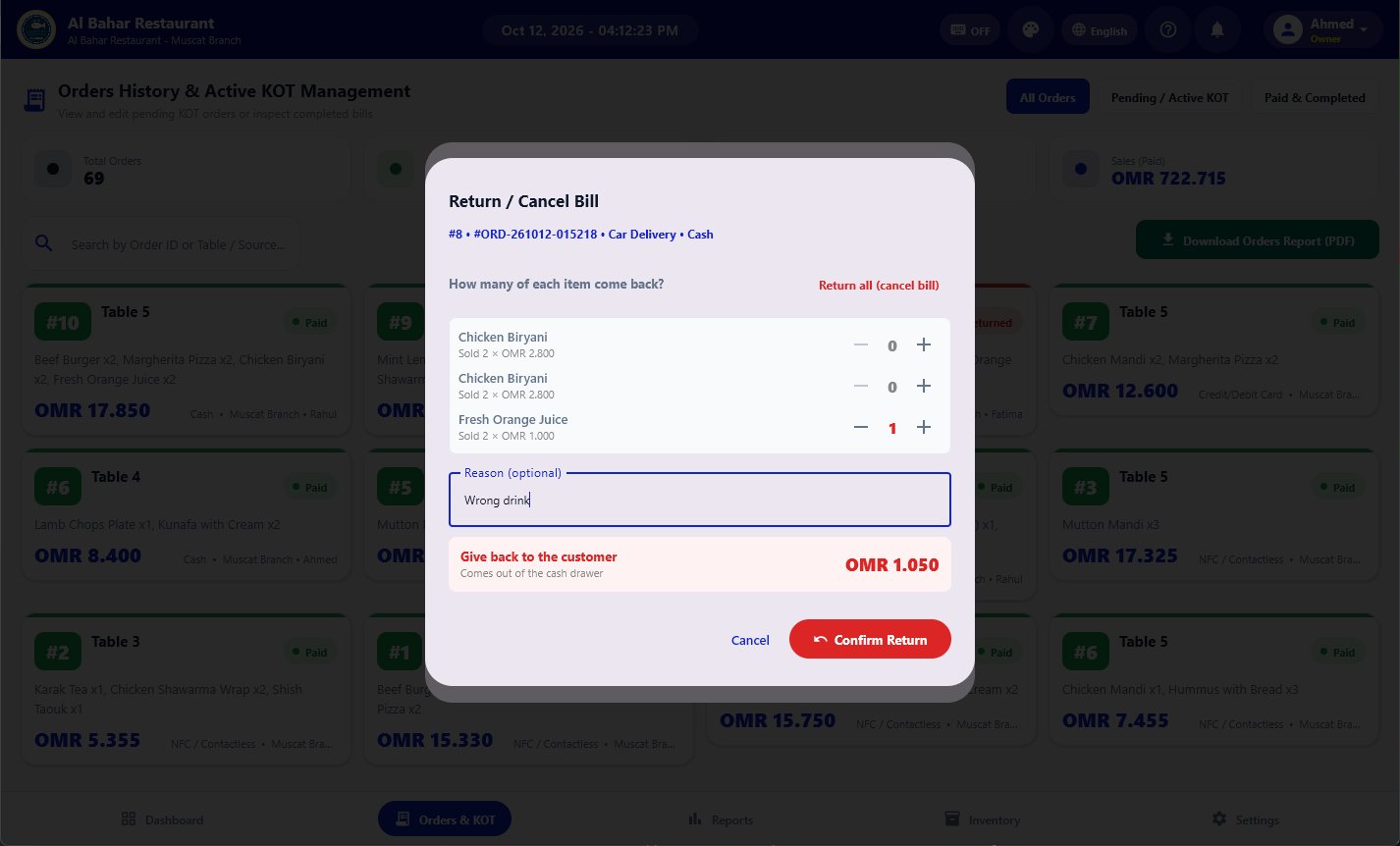
A customer brings something back? Open the bill, choose how many of each item come back, or return everything to cancel the bill.

  • Staff need the admin PIN; the owner does not
  • The refund includes its share of VAT and discount
  • Returned items go back into stock and cash leaves the drawer
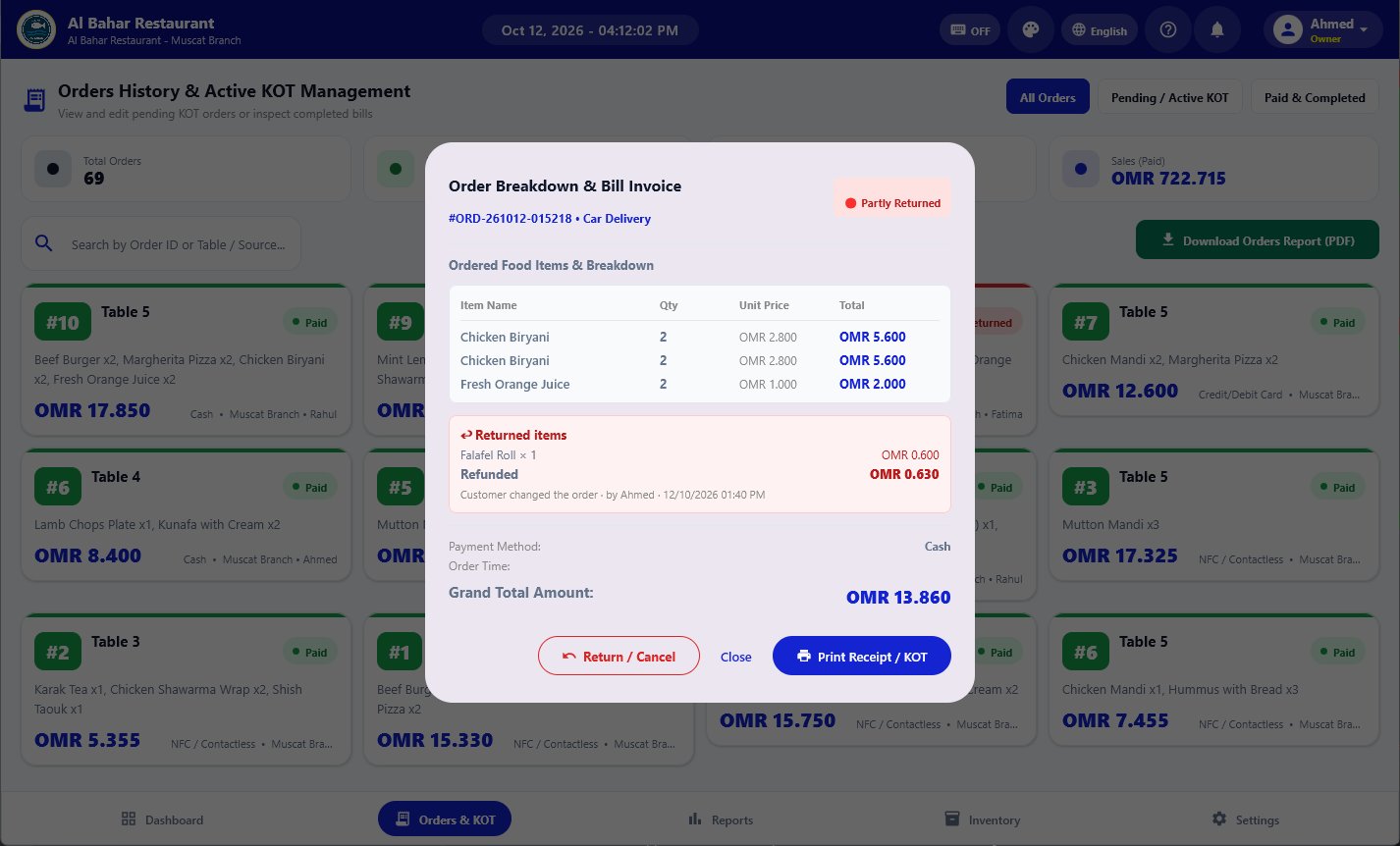
  • Every return is marked in red with the reason, who did it and when
Return or cancel bill dialog with item quantities and refund amount
New

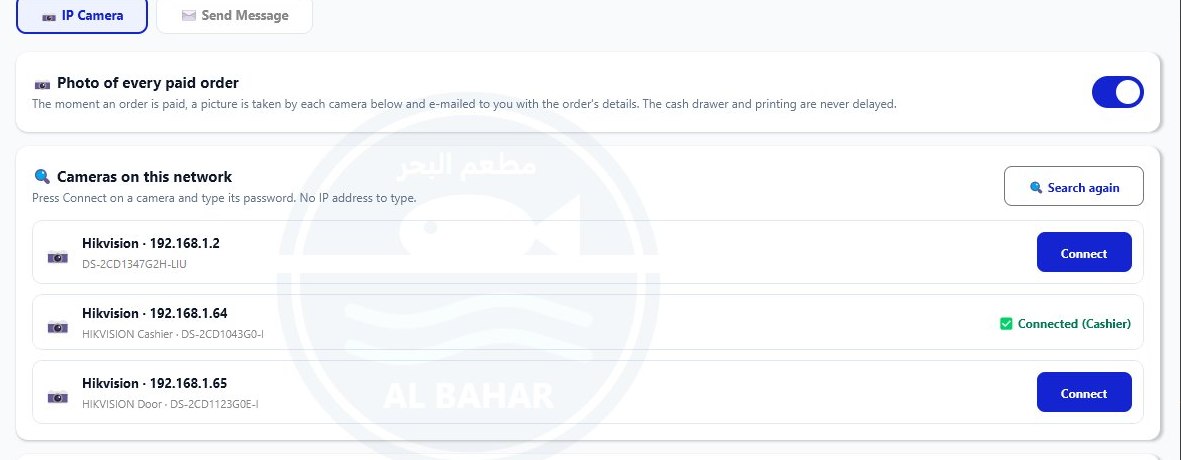
A camera photo of the till, by e-mail

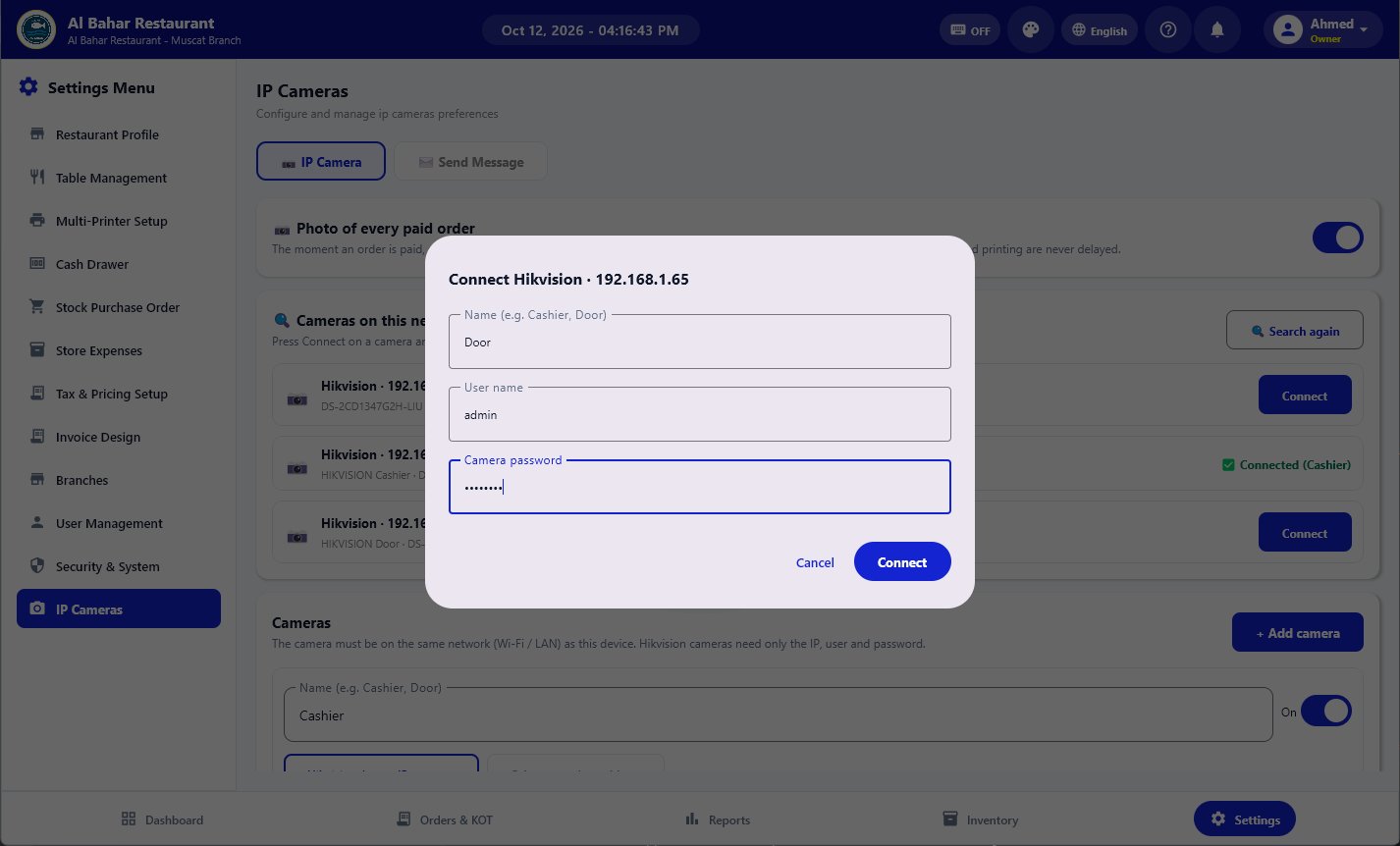
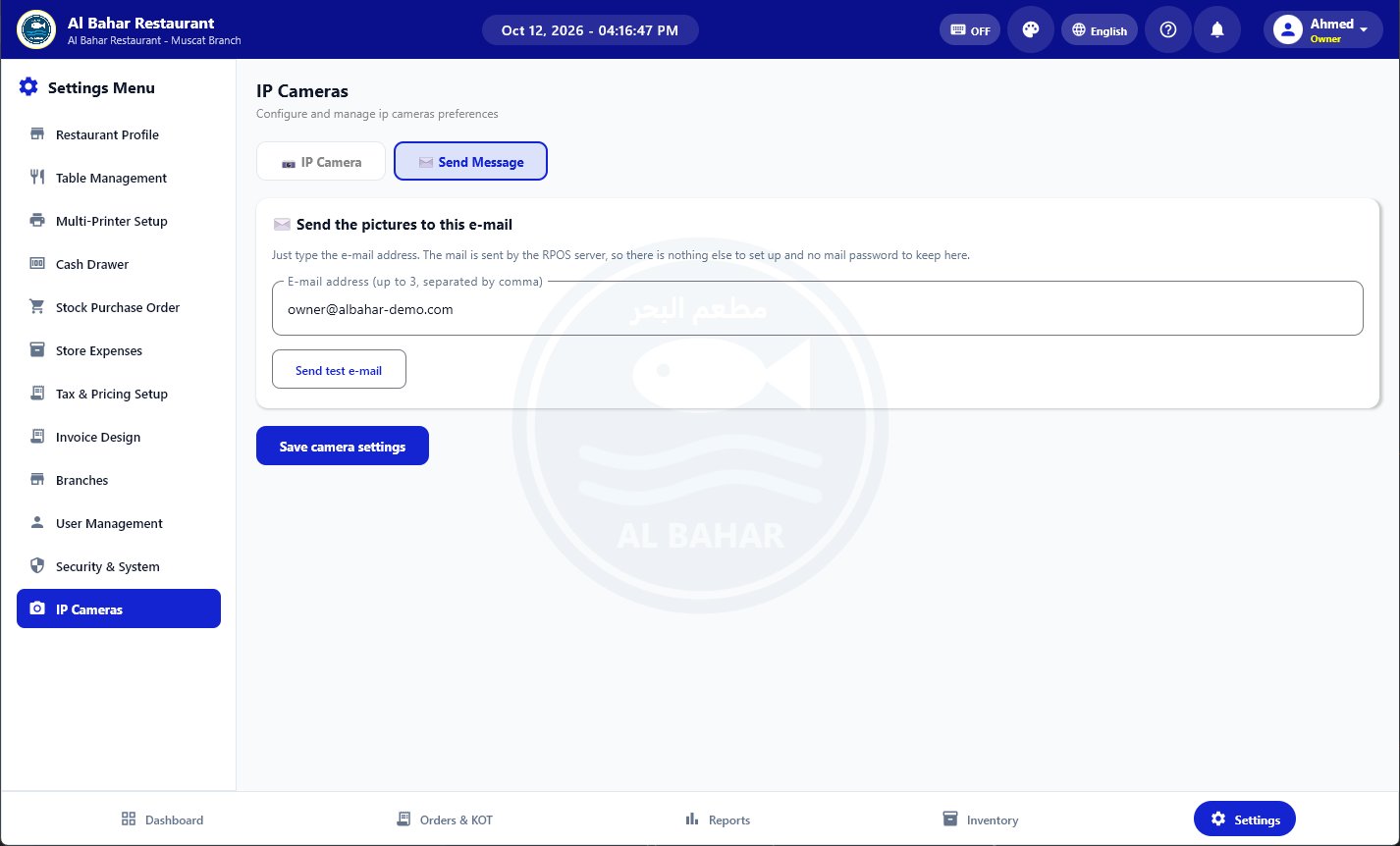
The moment someone presses Print KOT, Open Drawer or any pay button, every IP camera takes a picture and it is e-mailed to you with the items, prices and who pressed it.

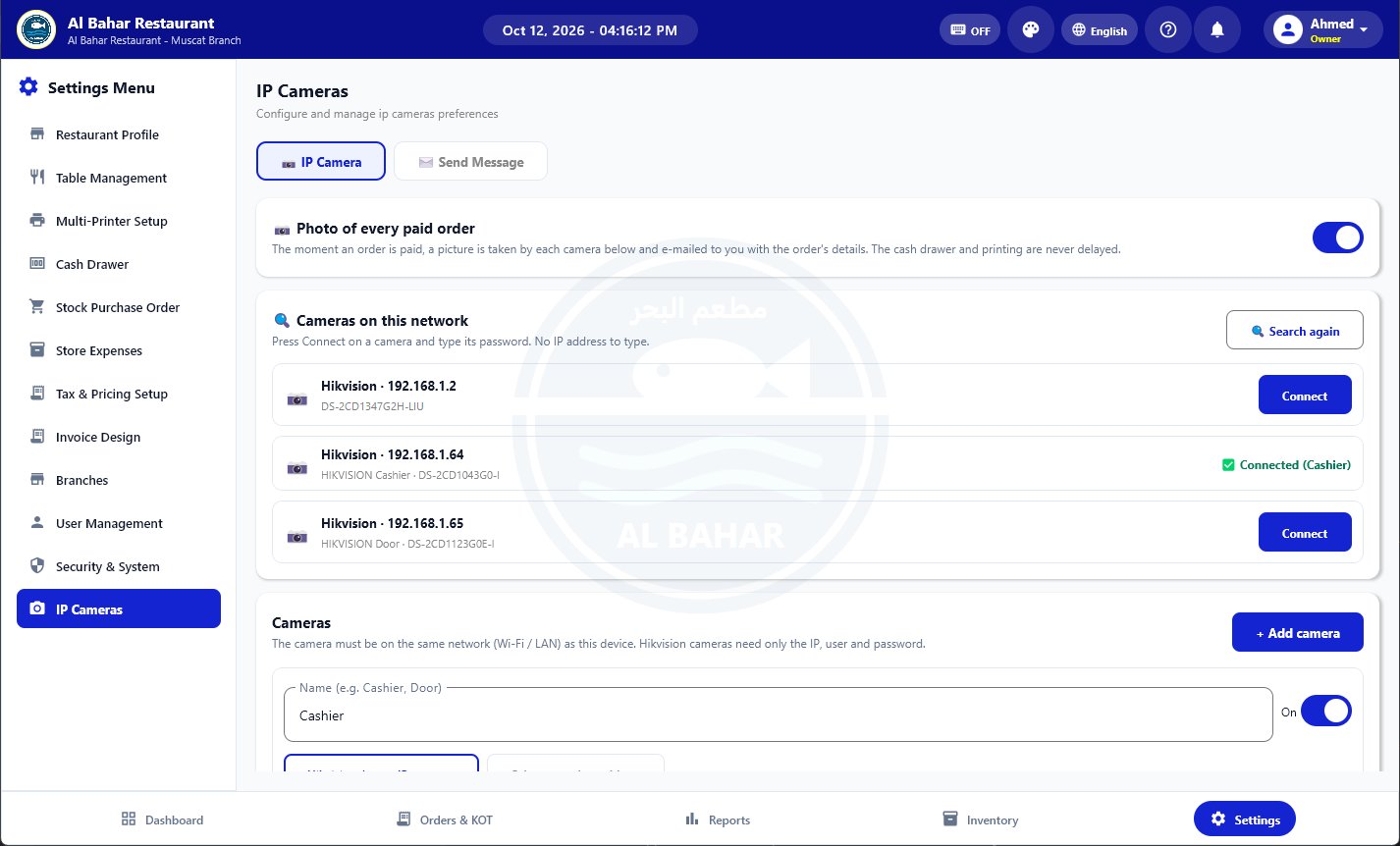
  • Finds the cameras on your Wi-Fi or LAN by itself
  • Press Connect and type the camera password, no IP address needed
  • Hikvision and most IP cameras; billing is never slowed down
IP cameras found on the network with Connect buttons
New

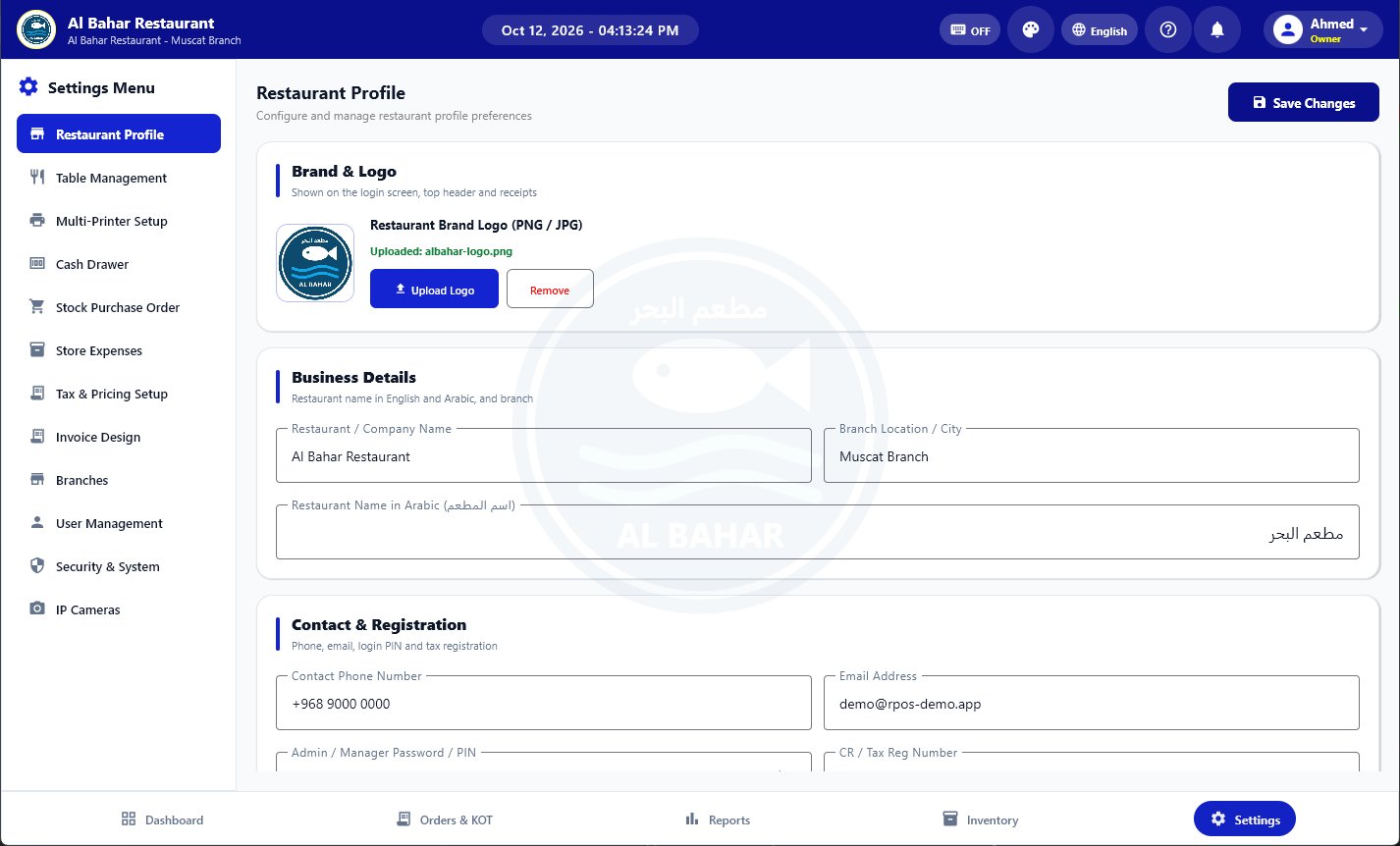
Your logo on every screen and every bill

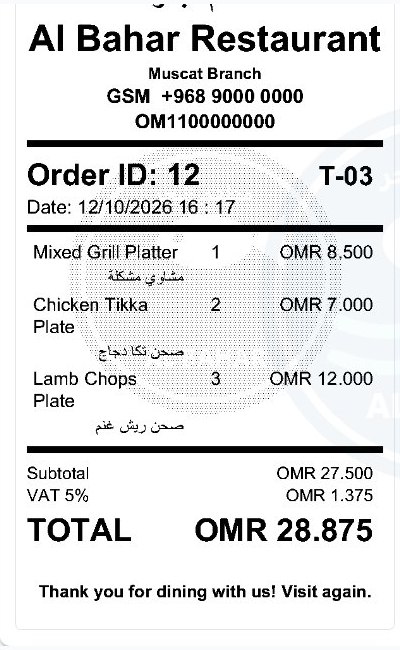
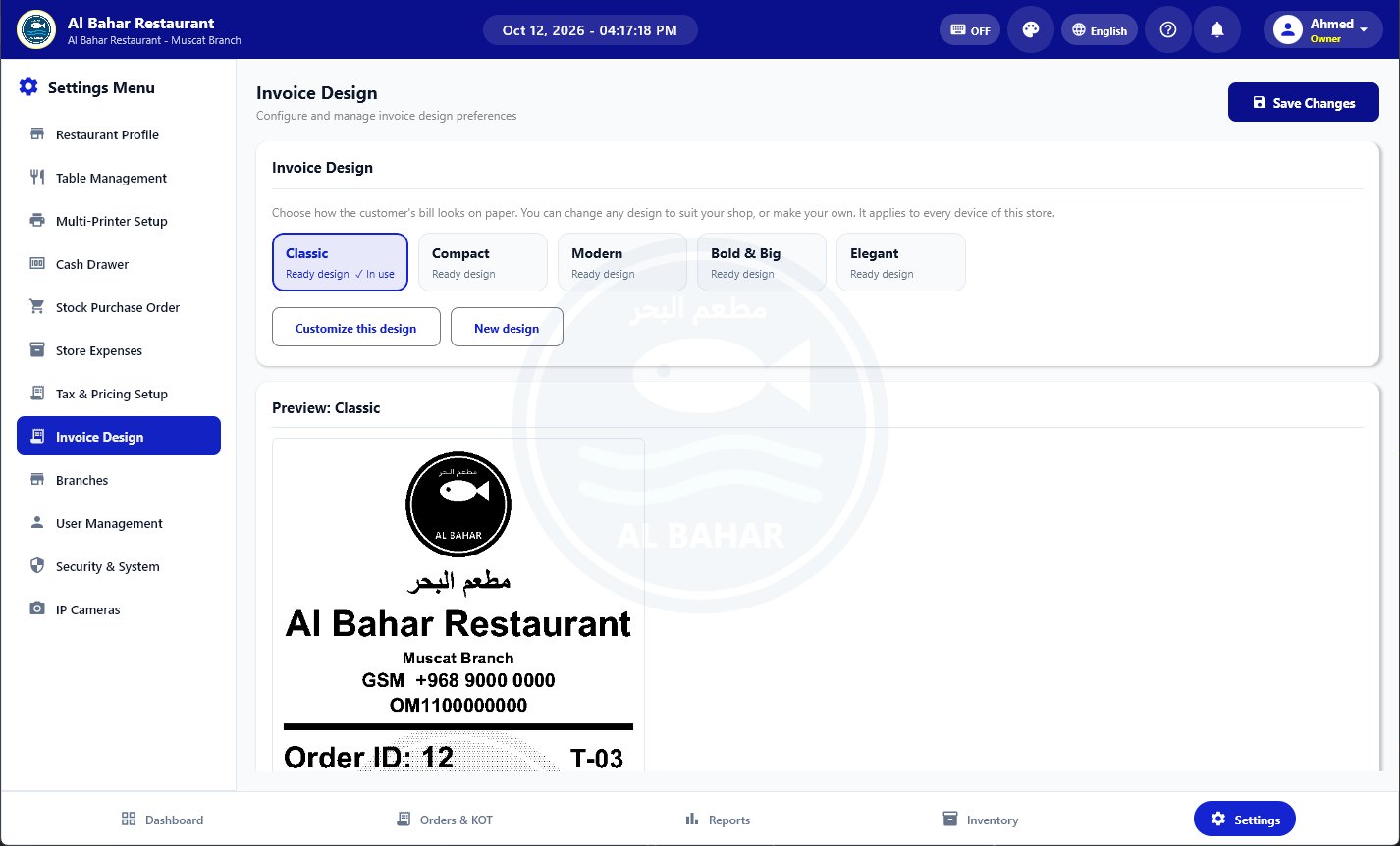
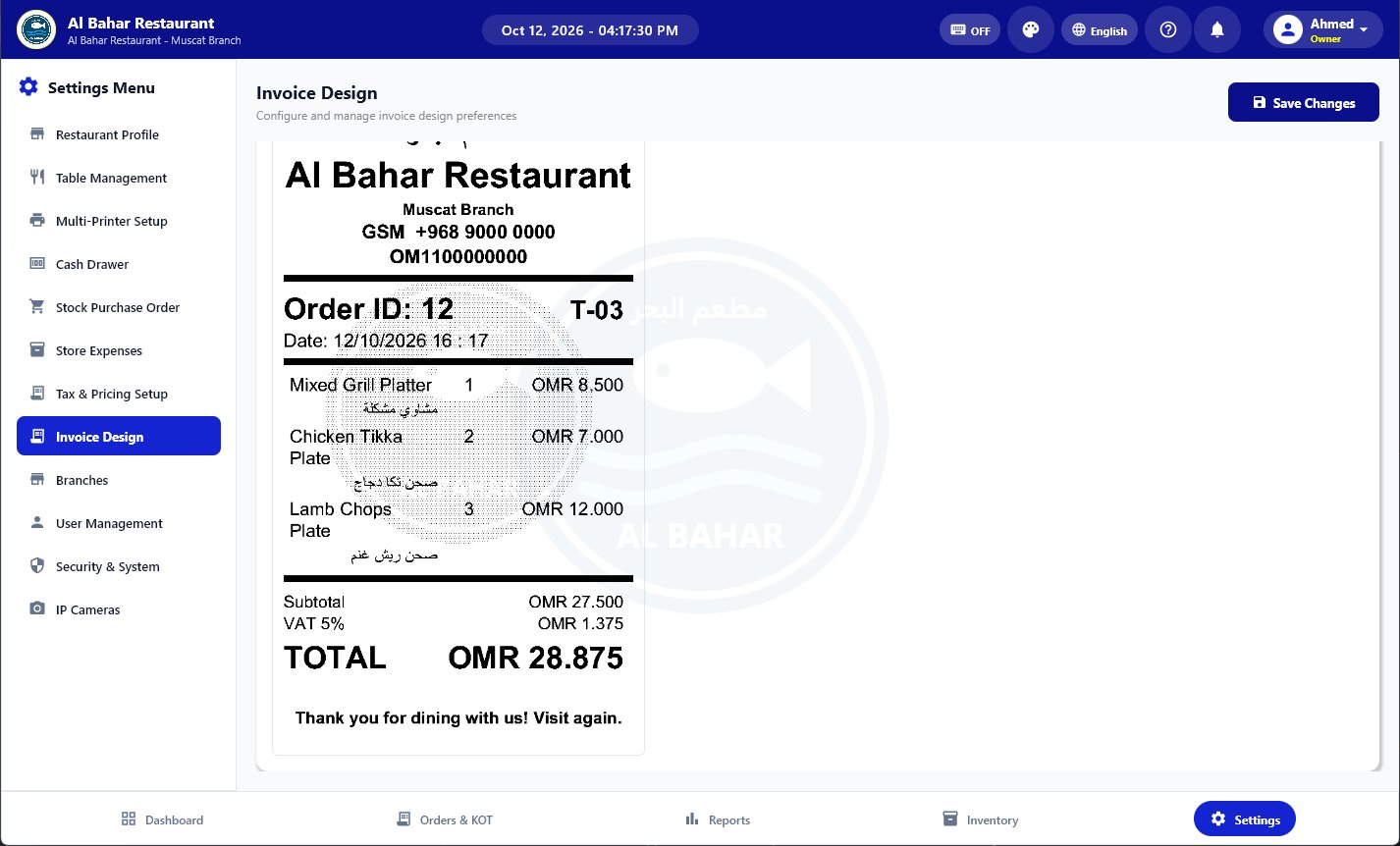
Upload your logo once. It shows lightly behind the POS screens and is printed as a soft watermark behind the items on the customer's bill.

  • Light enough that every price stays easy to read
  • Turn the bill watermark on or off in Invoice Design
Thermal bill preview with the restaurant logo printed as a light watermark
New

Stock that counts itself

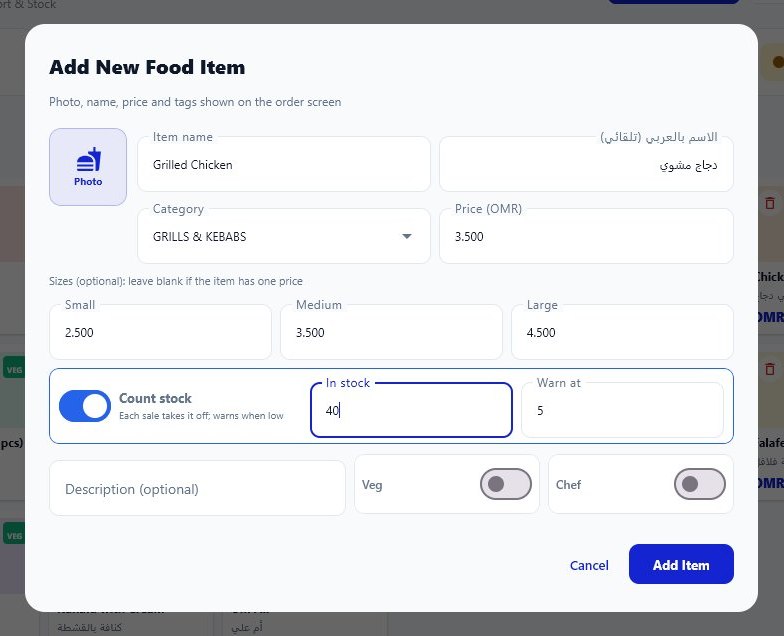
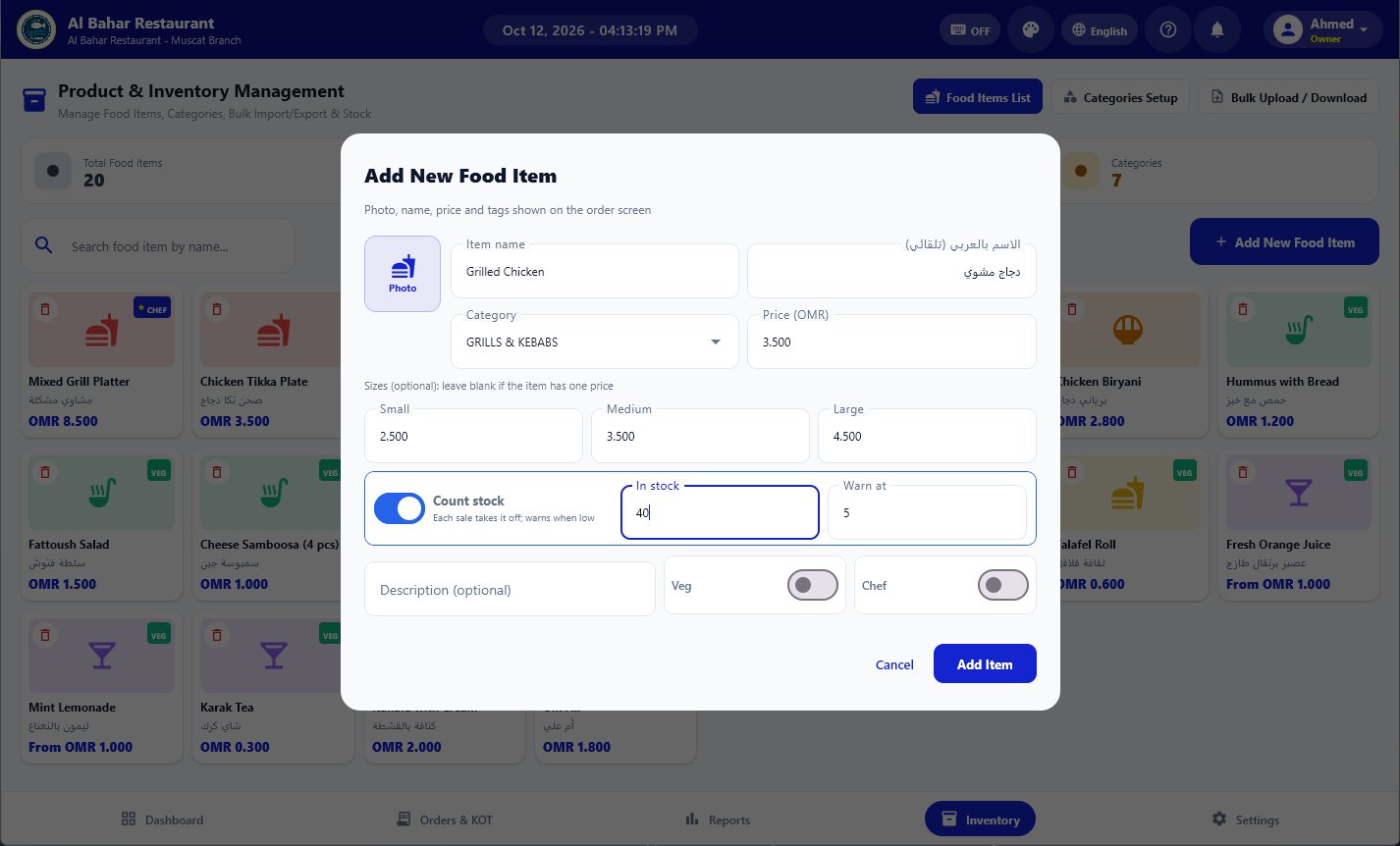
Switch on Count stock for drinks, bottles and packed goods. Every sale on any POS takes its pieces off, and you add new stock from the web admin.

  • Add stock with buy price and sell price, for saved or new items
  • See received, sold and left for any period, with profit
  • Low-stock warning on the POS when an item runs short
Add food item with Count stock, size prices and automatic Arabic name

Every update, newest first

1.0.42

Windows 7 edition

A separate installer for Windows 7 and 8 PCs, with safe screen drawing for old graphics cards. It updates itself with the Windows 7 edition.

1.0.41

Renew from the app

Choose a package, pay by bank or mobile banking and send the transaction number. The subscription is extended as soon as the payment is confirmed.

1.0.40

Packages and payment methods

See every package with its price and features, and where to pay, in Settings, Subscription and Plans.

1.0.38

Fingerprint machines fill themselves

A new staff member is sent to the ZKTeco / eSSL machine with name and number. Just take the finger on the machine.

1.0.37

Items sold on the Orders page

Pieces and revenue per item for any day or period, on the POS and in the web admin.

1.0.36

Live delivery tracking

Customers see who is bringing the order, the live GPS distance and minutes, and when it is delivered. New Driver Management page.

1.0.34

Delivery staff and Offers

Set the pay per delivery, send online orders to your delivery staff on WhatsApp and see what each one earned. New Offers tab with a poster designer, QR ordering and WhatsApp broadcast.

1.0.33

Order filters and fingerprint attendance

Orders by All, Today or a date and time range. Phone orders print their own kitchen ticket. Fingerprint terminals connect to the PC.

1.0.32

Till photos on Telegram

Connect your own Telegram bot and every till photo is sent straight to your Telegram. The kitchen ticket now prints a total.

1.0.31

Smarter kitchen tickets

An item already sent to the kitchen is returned as a minus line, and the next ticket prints only what changed.

1.0.30

Table transfer and Ezviz cameras

Move a table's order to a free table in one tap. Ezviz cameras can be added through ONVIF.

1.0.29

Customer credit accounts

Sell on credit, take part payments and send the customer's statement on WhatsApp. Master PIN to delete orders and accounts.

Every feature, A to Z

Everything a restaurant needs, in one app

From the first order to the end-of-day report, RPOS covers the counter, the kitchen, the tables and the office.

Billing & orders

Fast touch billing

Tap dishes from a photo menu with categories and search. The bill, VAT and total update as you tap.

Dine-in, takeaway & car delivery

Pick the order type per bill. Dine-in bills are linked to a table automatically.

Size prices: Small, Medium, Large

Give a dish up to three size prices. The cashier picks the size when billing and it prints on the bill.

Kitchen order tickets (KOT)

Send orders to the kitchen printer with notes, then add more items to the same table later.

Cash, card, NFC & online payments

Close bills by payment method. Every method is totalled separately in the reports.

Discounts with manager PIN

Percentage or fixed discounts, protected by a manager PIN when you want control.

Returns & cancelled bills

Take back some items or cancel a whole paid bill. Staff need the admin PIN; stock and cash are corrected.

Hold & edit orders

Park a bill and come back to it, or reopen an order to change items before payment.

Customers

Save regular customers with name and phone and attach them to bills.

WhatsApp bills

Send the bill straight to the customer's WhatsApp from the POS.

VAT / tax setup

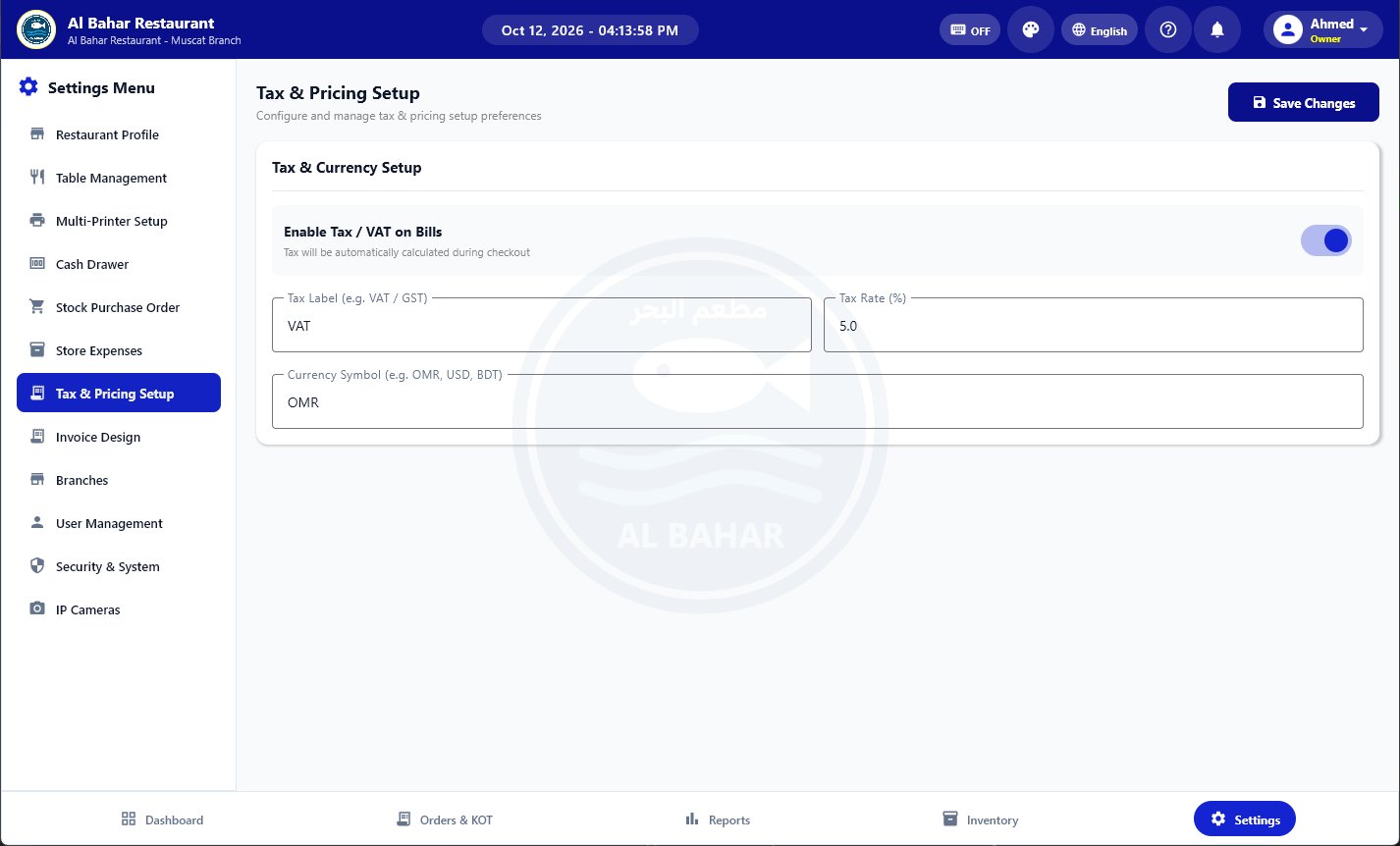
Set the tax label, rate and currency. Tax is calculated on every bill automatically.

Customer credit (due) accounts

Sell on credit, take part payments and send each customer's statement on WhatsApp.

Table transfer

Move a table's open order to a free table in one tap. An emptied table becomes free again.

Kitchen tickets that print only changes

Added items print as new, cancelled ones with a line through them, and the ticket shows a total.

Keyboard shortcuts

Type a table number and Enter to open it, letters to search, plus and minus for quantity. Fast on a counter PC.
Tables & QR ordering

Live table map

See which tables are free or occupied and how long guests have been seated.

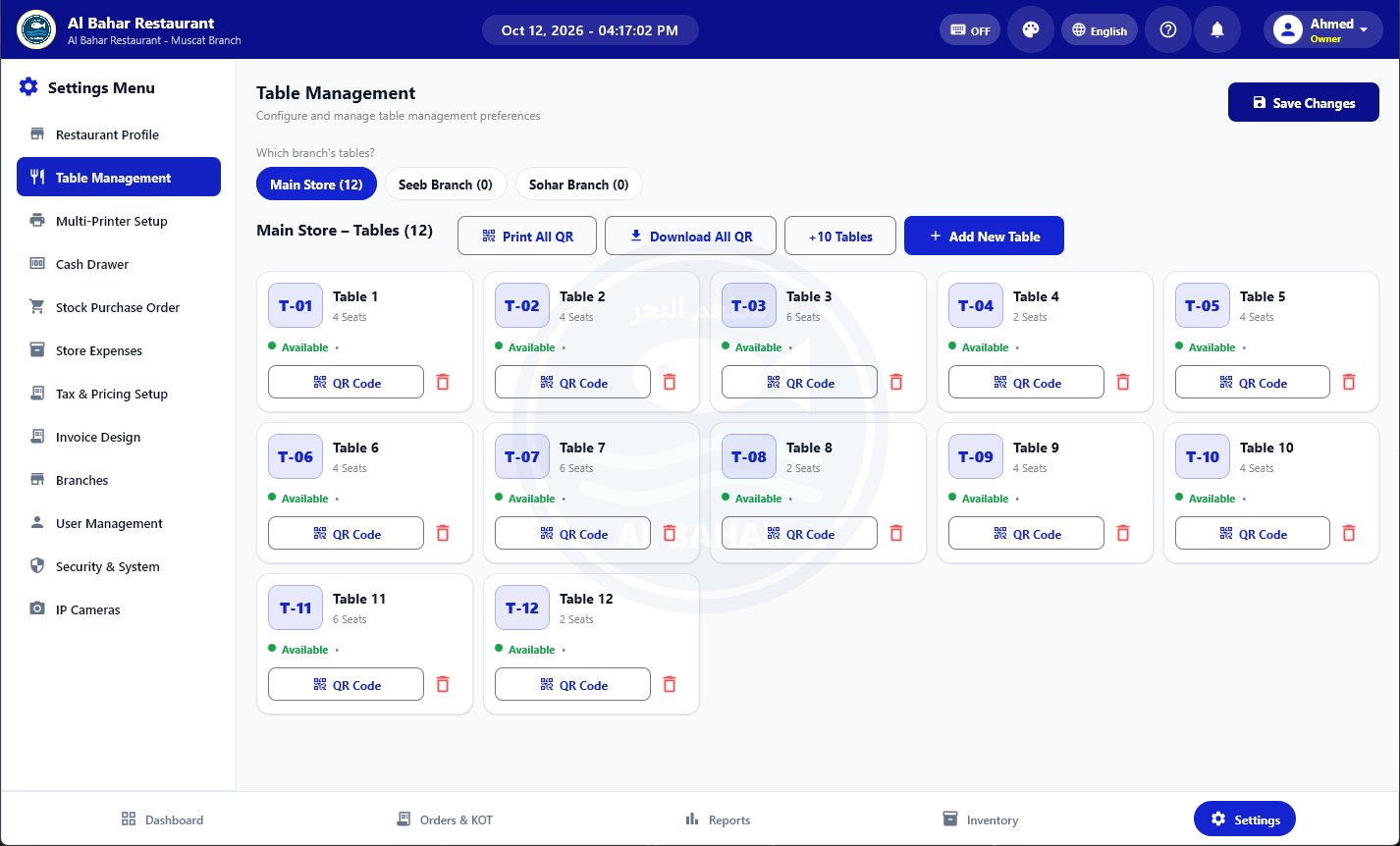
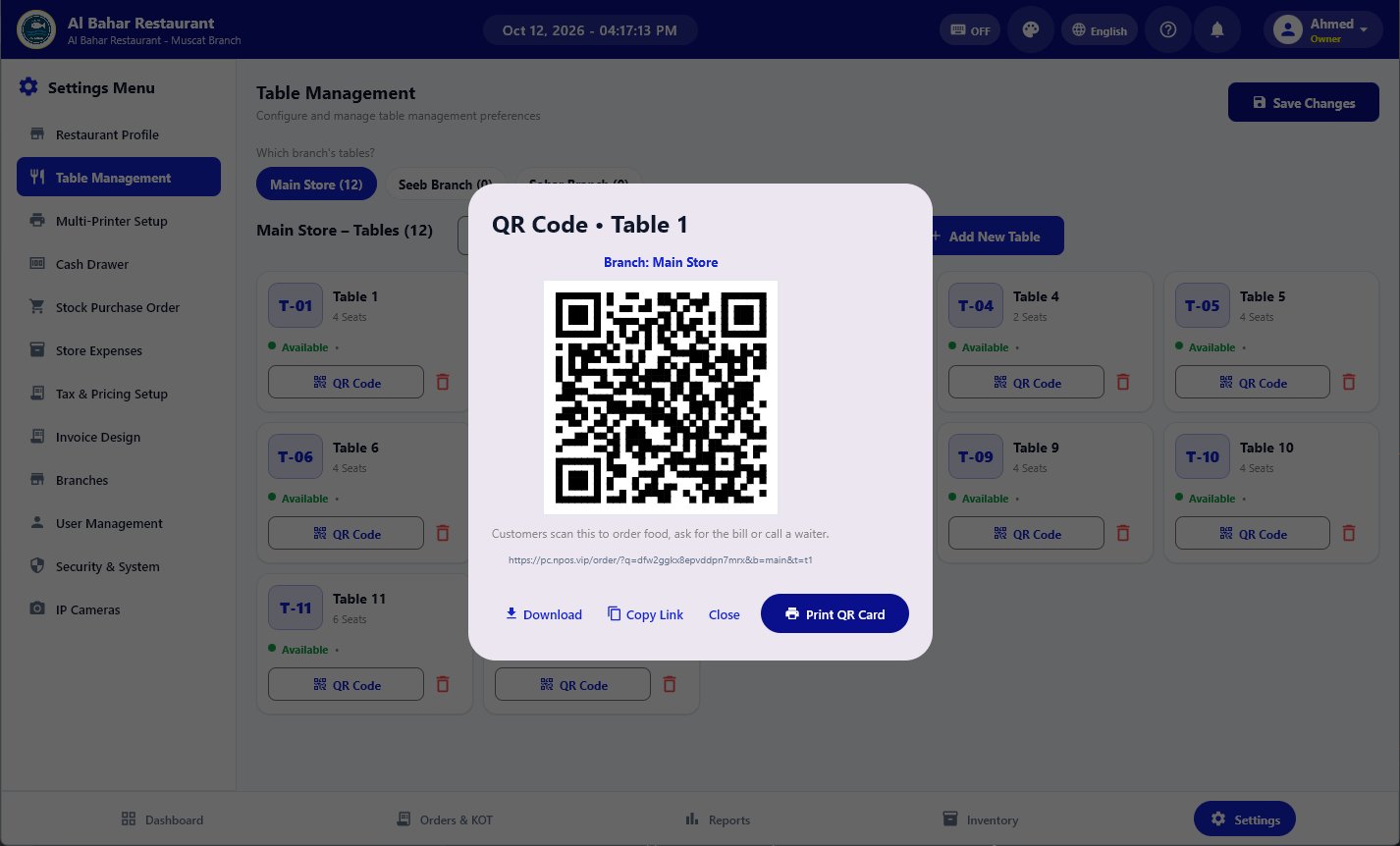
QR code on every table

Guests scan to see the menu, order food, ask for the bill or call a waiter. No app to install.

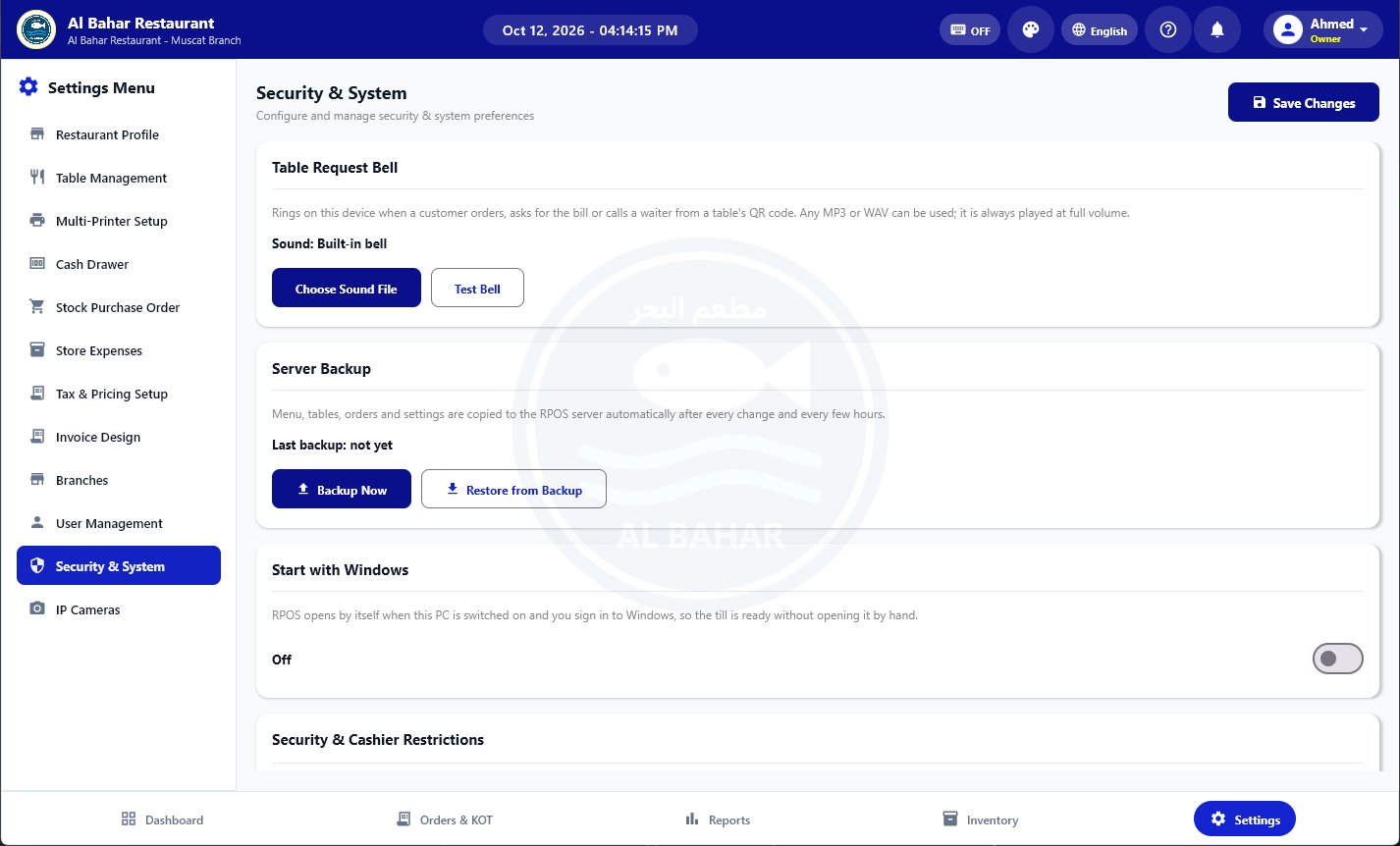
Table request bell

The POS rings when a table orders or calls. Staff check the order and send it to the kitchen.

Print & download QR cards

Print one table's QR card or all of them at once, ready to place on the tables.

Add tables in bulk

Create 10 tables in one tap, set seats per table and assign them to branches.

Phone orders print themselves

Orders taken on the Android app print the kitchen ticket on their own, from the phone or through the PC.

Delivery & offers

Delivery staff

Set the pay per delivery, send online orders on WhatsApp, and see each person's orders, bill totals and earnings.

Live GPS tracking

Delivery staff share their live location by link. Customers see the distance, minutes left and the delivered status.

Offer poster designer

Make a poster for a deal with your photo, price and logo, ready to post or print.

Offer QR ordering

Customers order the offer from a QR code or link and can add more items from the menu.

WhatsApp broadcast

Send a new offer to all your saved customers on WhatsApp.

Staff attendance & HR

Fingerprint machines

ZKTeco, eSSL and Hikvision attendance machines connect to the PC. New staff are sent to the machine by themselves.

Attendance report

Check-in and check-out for every person and day in the web admin, with a notice when someone checks out.

Salary & advances

Work out each person's salary from attendance, and keep track of advances and leave.

Menu & inventory

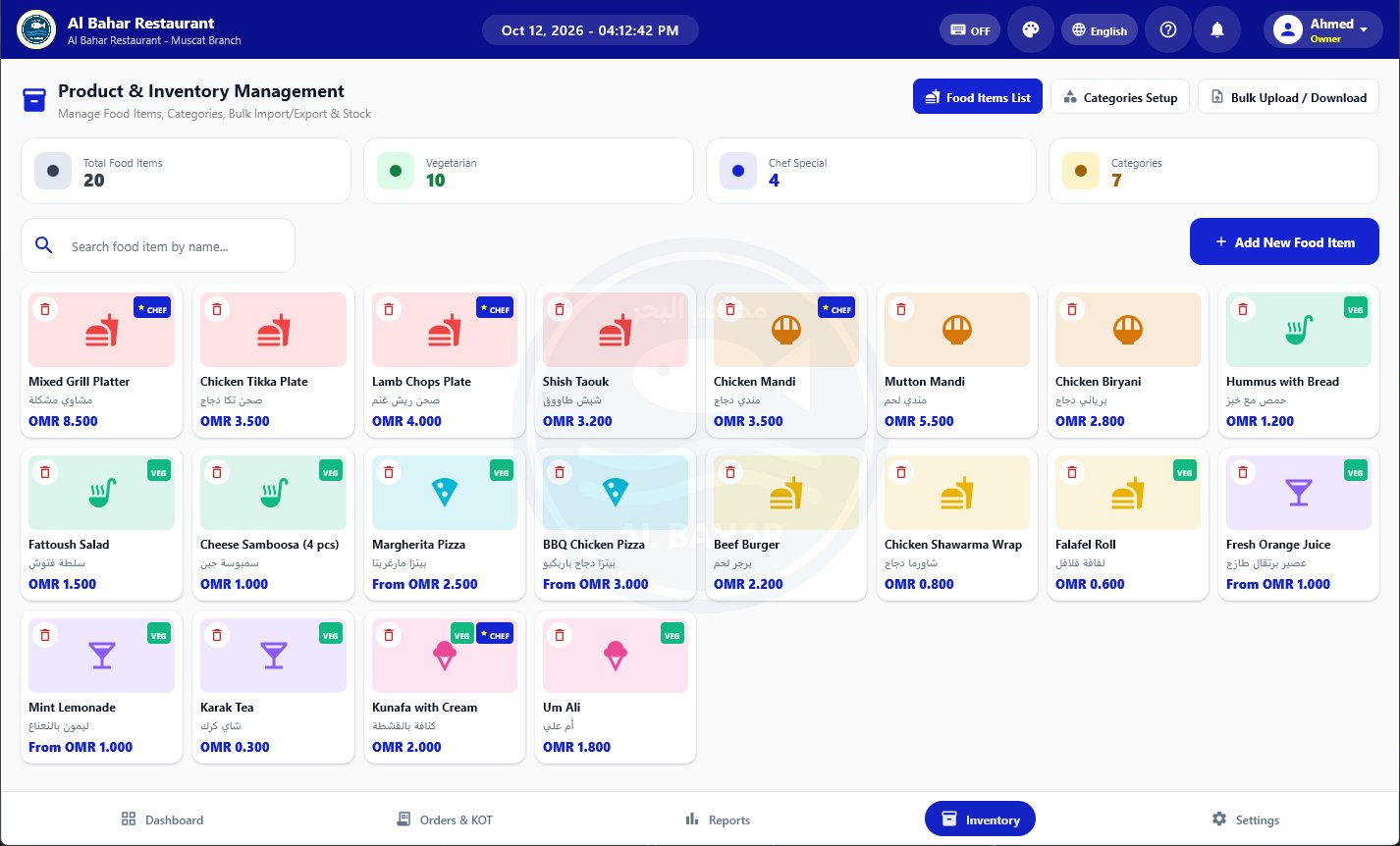
Food items with photos

Add a photo, price, category, description and veg or chef-special tags to each dish.

Arabic names, filled automatically

Type the English name and the Arabic name is written for you. Both show on the menu and the bill.

Categories

Group the menu into colour-coded categories that cashiers can switch between with one tap.

Bulk upload & download

Import the whole menu from a spreadsheet (CSV) or download it to edit offline.

Stock counting

Each sale takes its pieces off. Add stock with buy and sell price in the web admin and see what is sold, left and the profit.

Show or hide items

Turn a dish off when it runs out, and back on when it is available again.

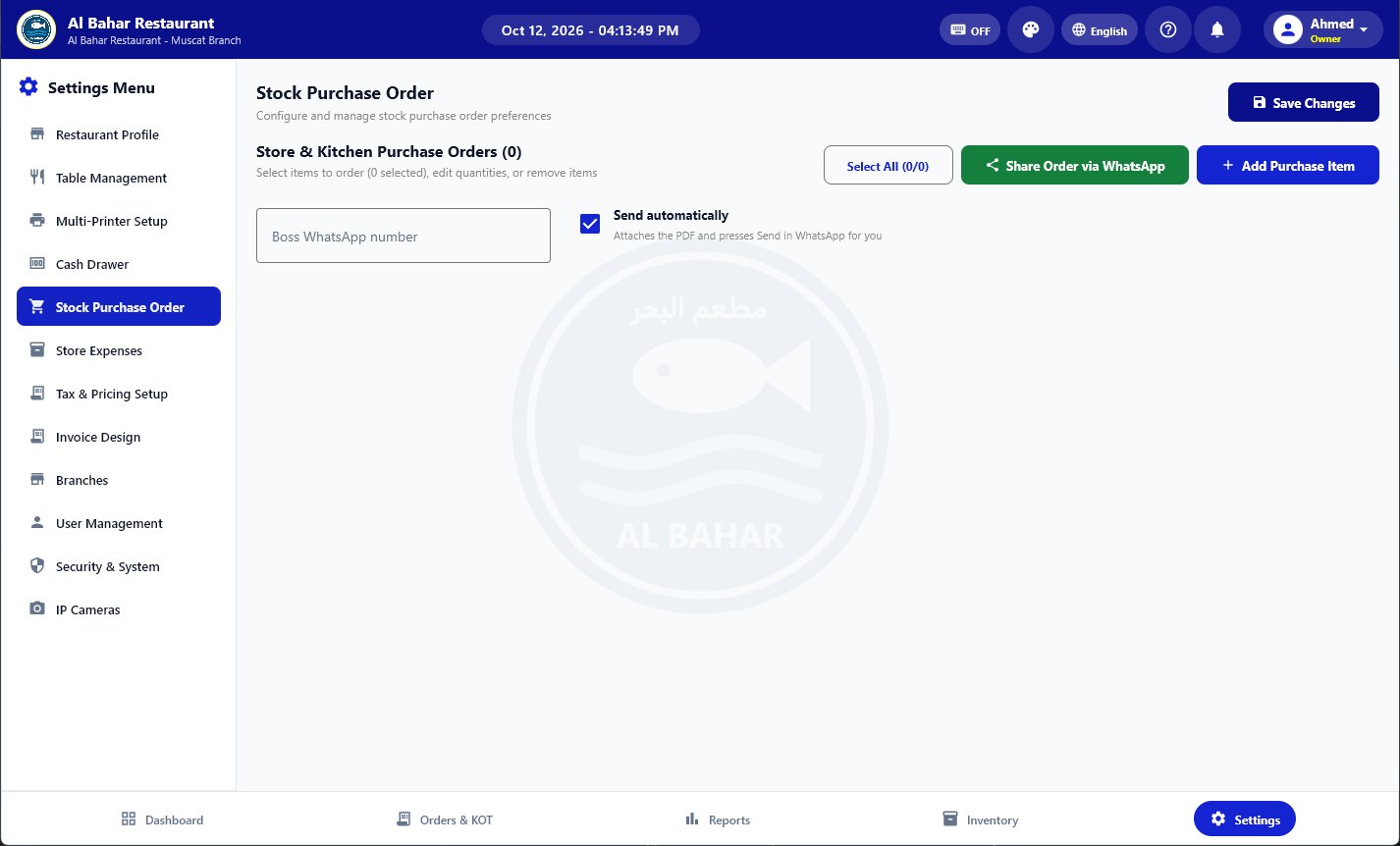
Stock purchase orders

List what the kitchen needs and send it as a PDF to the owner or supplier on WhatsApp.

Reports & accounts

Day, month, year & custom reports

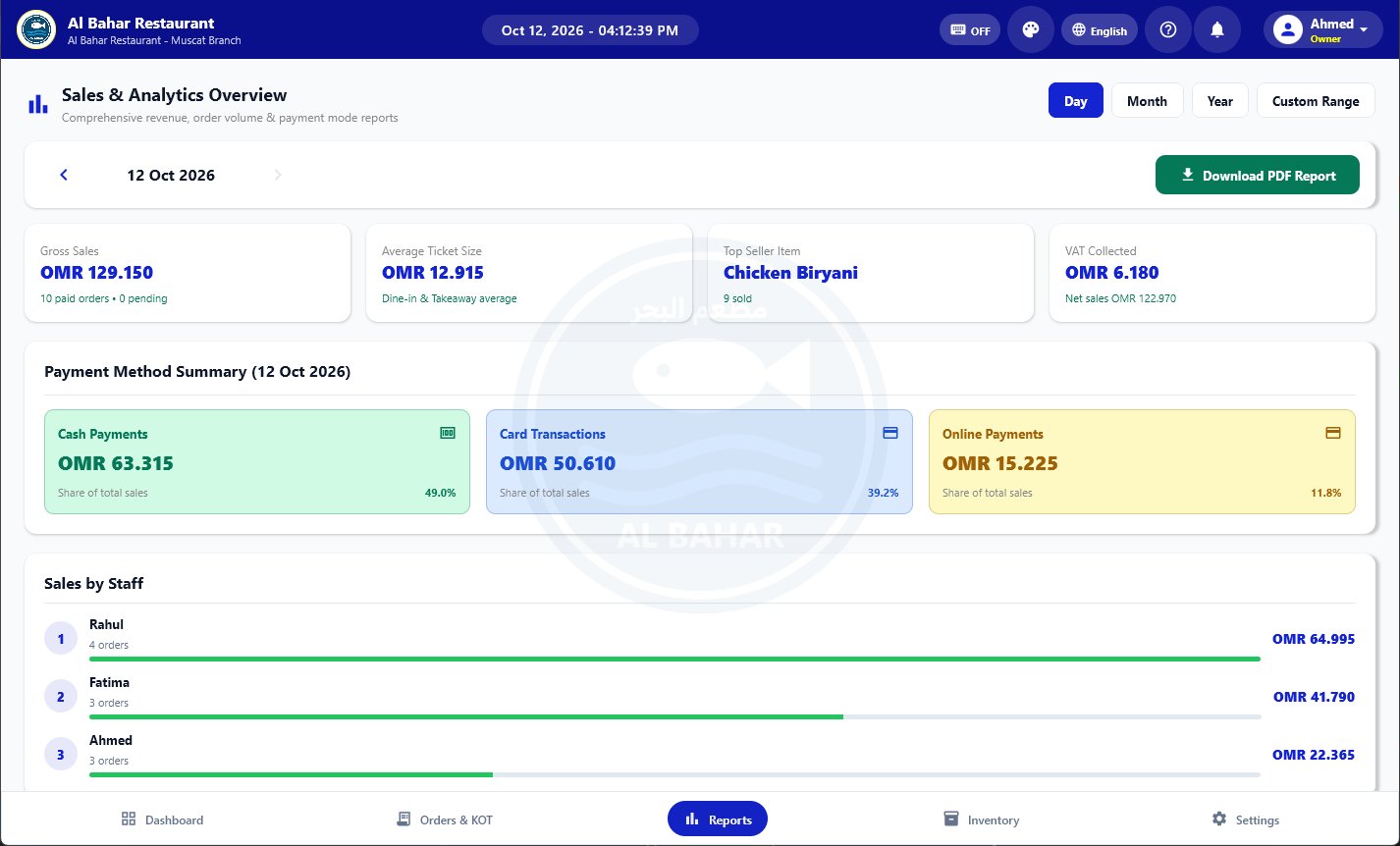
Gross sales, average ticket, top-selling item and VAT collected for any period.

Payment method summary

Cash, card and online totals with their share of sales.

Sales by staff

See how many orders and how much each cashier or waiter sold.

PDF reports

Download sales and order reports as PDF to print or send to your accountant.

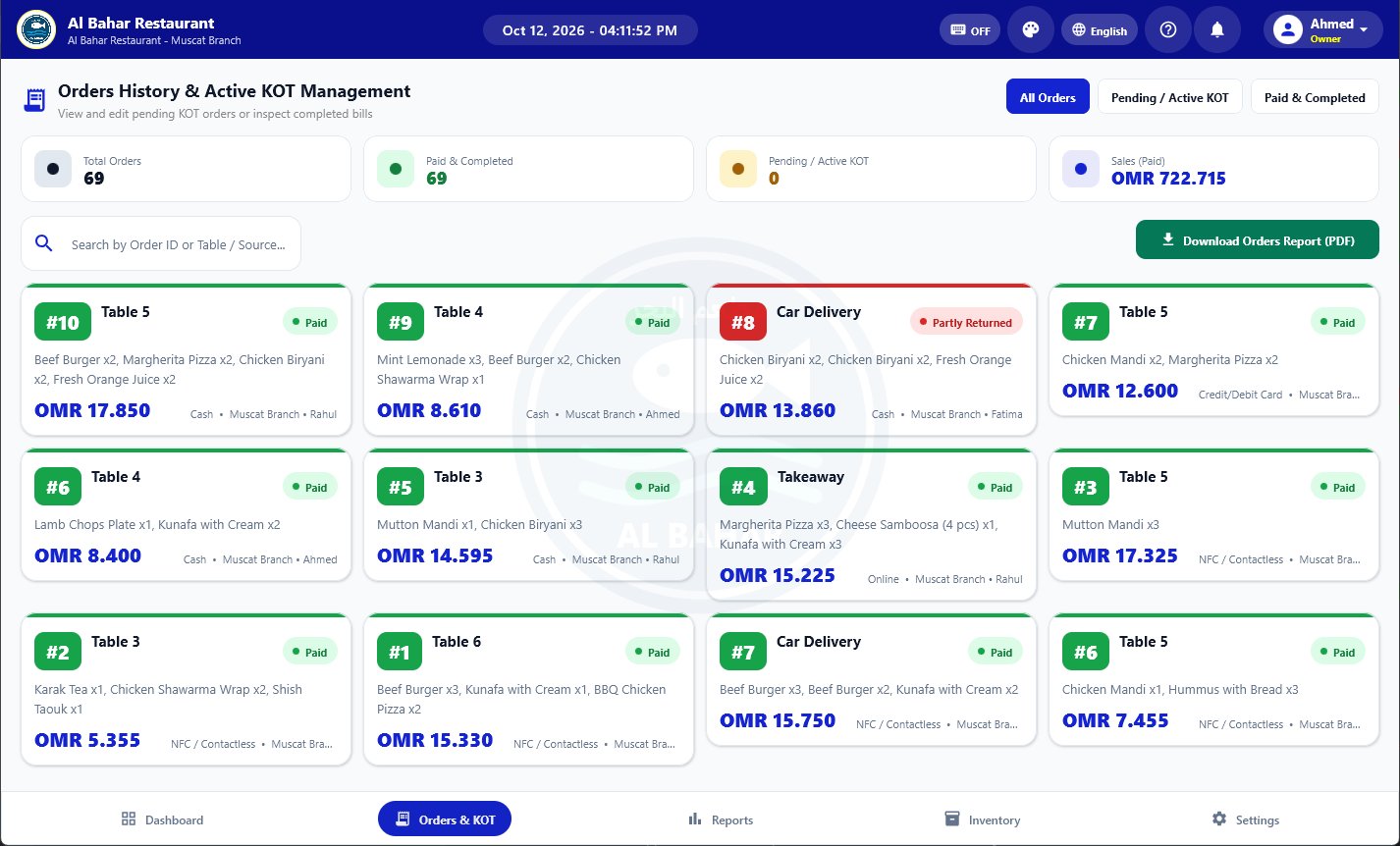
Order history & receipts

Search every order, open its full breakdown and reprint the receipt.

Cash drawer

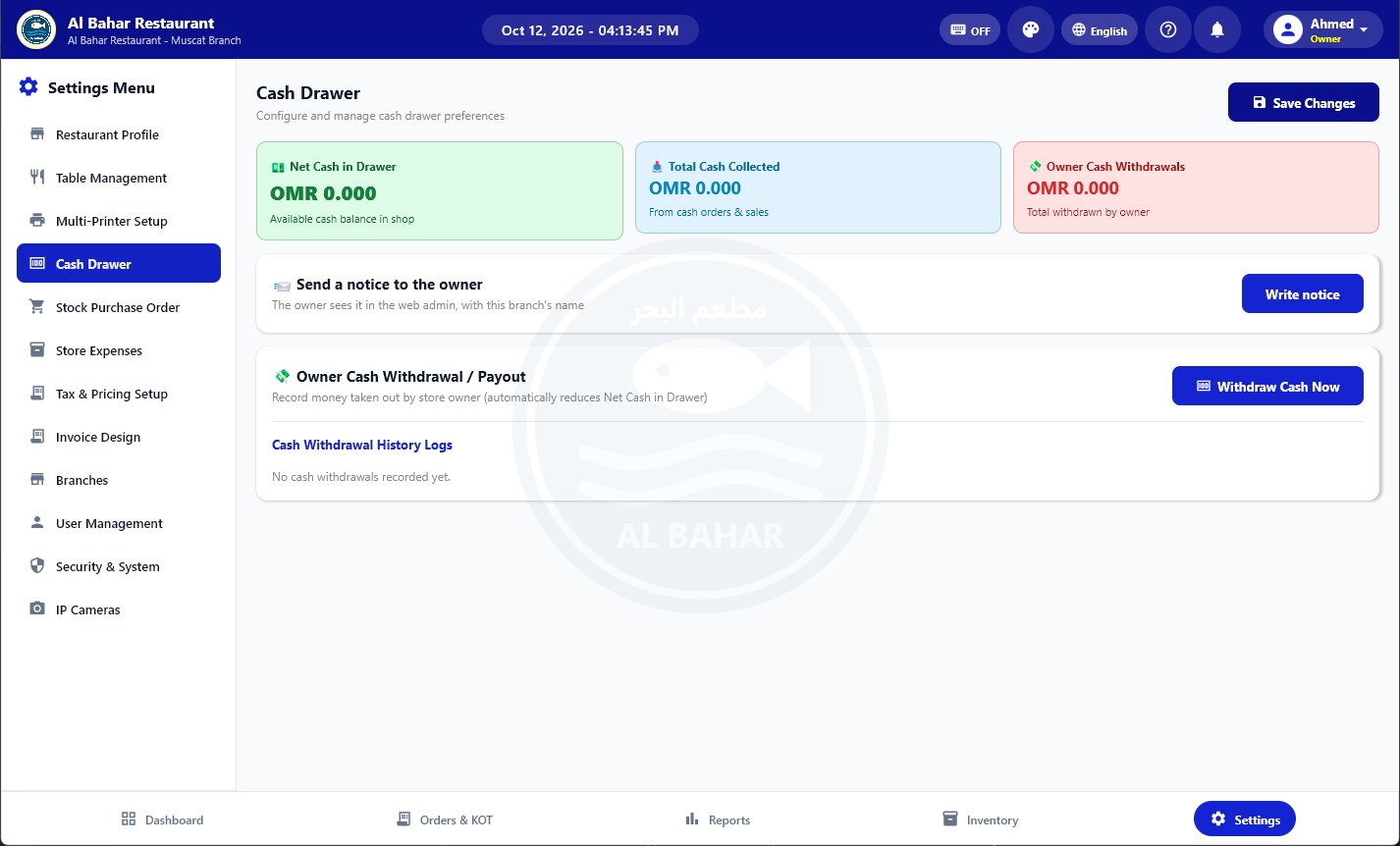
Track cash collected, owner withdrawals and the cash that should be in the drawer.

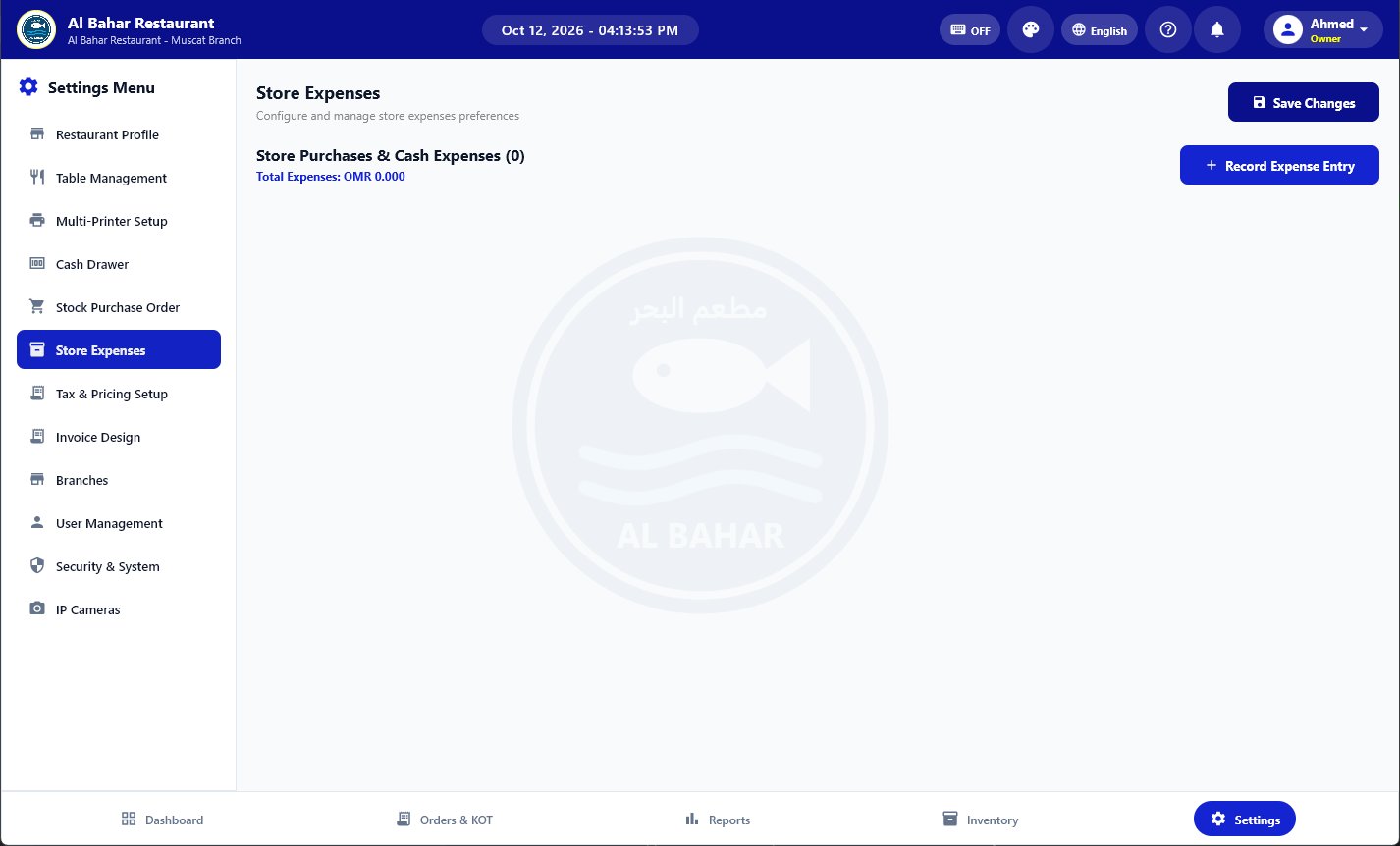
Store expenses

Record purchases and daily expenses so you know the real profit.

Items sold

Pieces and revenue for every item, for today or any date and time range.

Order filters

All, Today or a calendar range with times. The Orders screen opens on today.

Staff, branches & security

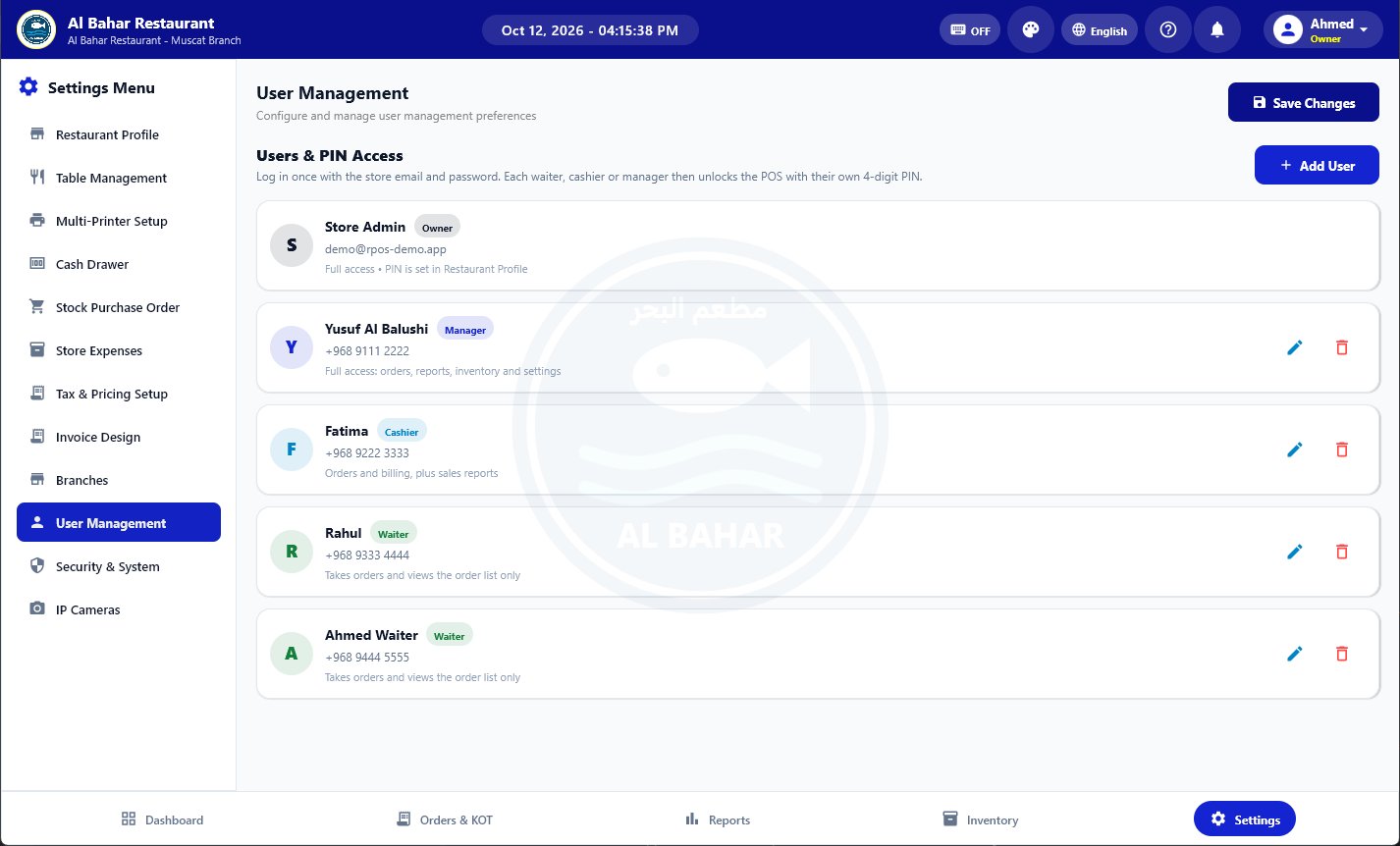
User roles with PIN login

Owner, manager, cashier and waiter. Each person unlocks the POS with their own 4-digit PIN and sees only what their role allows.

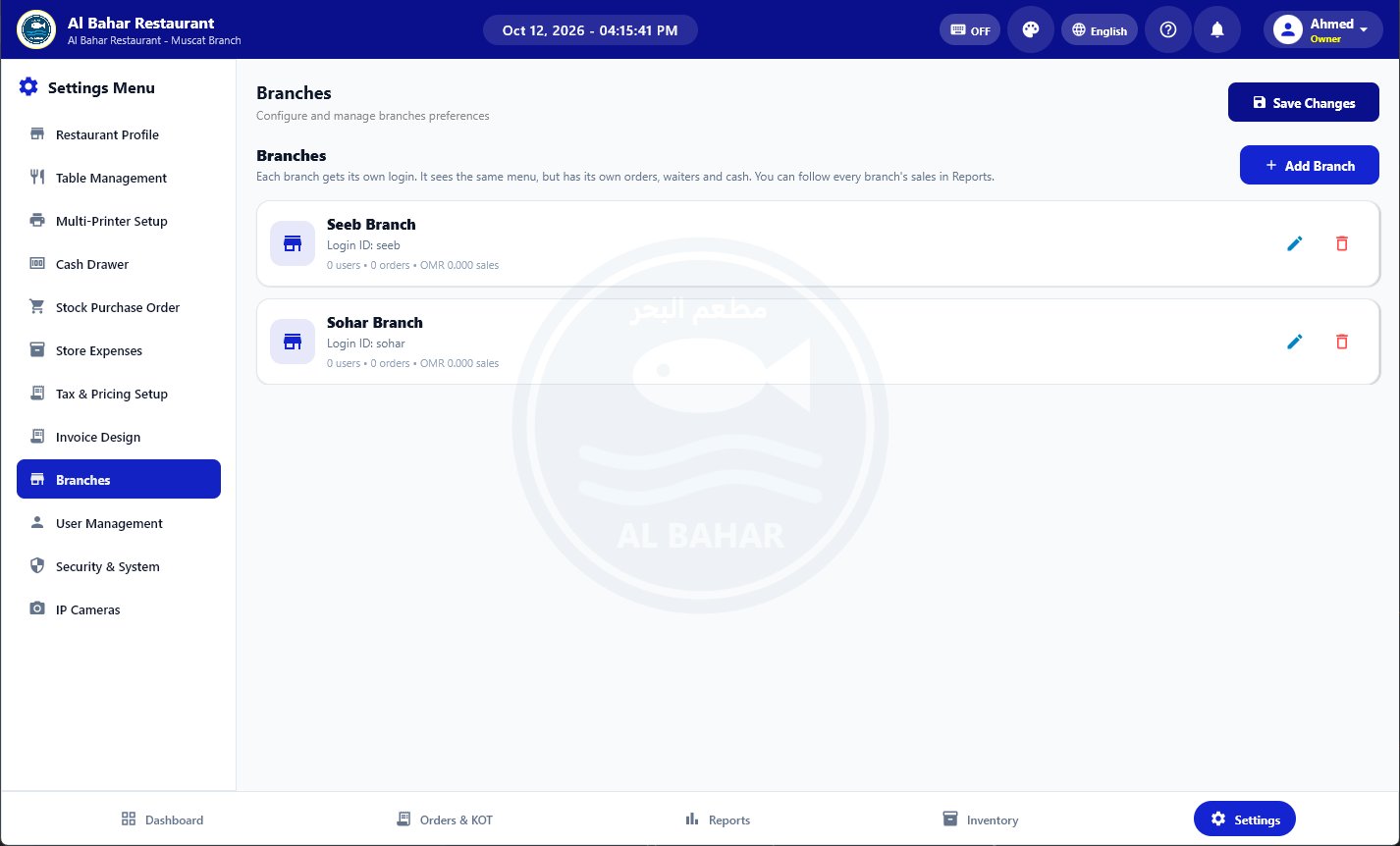
Multiple branches

Each branch has its own login, orders, waiters and cash, sharing one menu. Follow every branch from one account.

Void approval

Removing items after the KOT is sent needs a manager's approval.

Lock the POS

Lock the screen between shifts. The next person signs in with their PIN.

Camera photo on every till button

Print KOT, Open Drawer and every pay button take a photo from your IP cameras and e-mail it with the items.

Cameras found by themselves

RPOS searches your network for IP cameras. Press Connect and type the password.

Till photos on Telegram

Connect your own Telegram bot and the till photos arrive on your phone at once. Ezviz cameras work too.

Master PIN

Deleting orders or accounts and opening the camera settings need the owner's master PIN.

Printing & hardware

Multiple printers

USB, network (LAN) and Windows printers. Send bills to the counter and KOTs to the kitchen.

Printer health check

See when a printer is offline or has stuck jobs, and clear them in one tap.

Arabic thermal receipts

Receipts with your logo, Arabic and English names, VAT number and a footer note.

Logo watermark on the bill

Your logo is printed lightly behind the items, so every bill carries your brand.

Touch-screen ready

Large buttons and a built-in on-screen keyboard for touch POS terminals, down to 1024×768.

Cloud, apps & languages

Real-time sync

Orders, menu and tables stay the same on every PC, phone and the web admin.

Works offline

Keep billing when the internet drops. Everything is sent as soon as you are back online.

Server backup & restore

Your data is backed up automatically and can be restored on a new device.

Web admin

Check sales, edit prices and menu, manage staff and branches from any browser.

Three languages

Switch the whole app between English, Arabic (right to left) and Bengali at any time.

Colours & night mode

Pick light or night mode and one of 7 colours from the top bar. Your logo shows faintly behind every screen.

Automatic updates

The app tells you when a new version is ready and installs it, keeping your data.

Starts with Windows

The POS opens by itself when the PC is switched on. Turn it off in Settings if you like.

Windows 7 edition

Old counter PCs with Windows 7 or 8 get their own installer, with safe screen drawing for old graphics cards.

Packages & renew in the app

See the packages, pay by bank or mobile banking and send the transaction number from the POS or the web admin.

Screenshots

See RPOS in action

Real screens from the app. Tap any picture to enlarge it.

How it works

Start billing in three steps

  1. 1

    Create your store

    Sign up with your restaurant name and email. The first 15 days are free.

  2. 2

    Install the app

    Download RPOS for Windows or Android and sign in with the same email.

  3. 3

    Add your menu and start

    Add dishes one by one or upload a spreadsheet, print the table QR codes and take your first order.

Download

Get RPOS on every device

One account works on all of them. Version 1.0.29.

Android: allow "Install unknown apps" for your browser when asked. Windows: if SmartScreen appears, choose "More info" then "Run anyway".

FAQ

Questions restaurant owners ask

Is there a free trial?

Yes. Every new store gets 15 days free with all features. No card is needed to start.

Does RPOS work on Windows 7?

Yes. Download the Windows 7 edition (64-bit Windows 7 SP1 or Windows 8). If it does not start, install the Windows updates KB2533623 and KB2999226 first. Windows 10 and 11 use the normal installer.

Does RPOS work without internet?

Yes. You can keep billing and printing while offline. Orders and changes are sent to the cloud automatically when the connection is back.

Can I print receipts in Arabic?

Yes. Receipts show your logo, Arabic and English item names, VAT and your footer note on standard 80 mm and 58 mm thermal printers.

Can I use it on more than one PC or phone?

Yes. Sign in with the same store account on every device. Orders, menu and tables stay in sync in real time.

Do my guests need to install an app to order?

No. They scan the QR code on the table and order from the phone's browser. The order rings on your POS for staff to confirm.

Is my data safe?

Each store's data is kept separately, synced to the cloud and backed up to the RPOS server. You can restore it on a new device at any time.

Can I manage more than one branch?

Yes. Add branches in Settings. Each branch gets its own login and you see every branch's sales in your reports.

Ready to make billing faster?

Create your store in a minute and try every feature free for 15 days.